
You're probably living this already. One relative sends a text about dad's refill. Another asks if the home aide came. Someone else swears the morning pill was taken, but nobody can prove it, and the appointment note is buried in a different thread. A family caregiver app is useful when it stops that drift, not when it adds another inbox to check.
The right tool is a shared coordination space for the whole care circle. It gives the family one place for updates, tasks, calendar events, documents and handovers, so people who only check in once a week can still stay oriented. That matters because family caregiving is now a mainstream reality in the U.S., with 63 million adults providing ongoing care in the previous year, up from about 44 million in 2015, according to the 2025 Caregiving in the U.S. study. The problem isn't rare. The problem is coordination.
Table of Contents
- What a Family Caregiver App Actually Does
- Core Features That Actually Reduce Mental Load
- How to Score Any App Against Your Real Situation
- Privacy, Hosting and Trust Without the Jargon
- A Two-Week Onboarding Checklist for the Whole Tribe
- A Realistic Week With the App
- Choosing Your Next Step Without Pressure
What a Family Caregiver App Actually Does
A good app does not try to replace professional care, and it is not a medical device. It makes the messy parts of family caregiving visible: who did what, when it happened, what still needs attention, and what context a sibling or aide needs before the next visit. That's the job.
It turns scattered messages into one shared record
A general messaging app is fine for quick chatter. It fails the moment you need a timestamp, an author, a task owner, or a reliable place to look back two days later. A family caregiver app should give you a shared care journal, a single calendar, assigned tasks and structured notes, so the family can stop reconstructing the week from screenshots and voicemail.
Practical rule: If a detail matters after today, it belongs in the app, not in a text thread.
This is especially important in households where several people share responsibility. In the U.S., 29% of caregivers are in the sandwich generation, and that rises to 47% among caregivers under 50. Also, 70% of working-age caregivers are employed according to AARP and the National Alliance for Caregiving, so the app has to work around work hours, not pretend caregiving is a full-time office job. The app should help a long-distance sibling, a spouse, a nurse and a home-care worker all read the same situation without repeating the same update six times.
It gives the care circle a common operating system
Think of it as the shared whiteboard in the kitchen, but with timestamps, roles and a memory. One person can add an appointment. Another can confirm a dose was handled. A third can note that appetite changed after lunch. Everyone sees the same history, and nobody has to guess whether the information is new or already handled.
That structure is what makes the tool useful for people who only open it once a week. Without structure, the app is just another chat feed. With structure, it becomes a coordination layer the whole tribe can rely on.
Core Features That Actually Reduce Mental Load
The point of a family caregiver app is not to “have features”. The point is to reduce repeat work, prevent confusion and make handovers cleaner. If a feature doesn't change how the family coordinates, it's probably decorative.
Shared journal, medication records and a real calendar
A shared care journal should do one simple thing well, it should show who wrote the entry, when they wrote it, and what they observed. That matters because a sibling reading on Thursday needs context from Tuesday, not a blurry memory. Keep the note short, factual and attributable.
Medication tracking should be treated as a coordination aid, not proof of administration. A recorded confirmation is a user entry, not independent verification. Use it to show what was scheduled, what was confirmed, and what still needs attention. That distinction keeps the app honest and avoids the false comfort of thinking the record itself guarantees anything clinical.
A shared calendar is just as important. It needs to handle medical appointments, home-care visits, family presence and recurring tasks in one place. If night-shift workers or distant relatives are involved, reminders must be visible enough that they don't disappear into the noise of the day.
A calendar is only useful if the people who need it actually see it before the appointment, not after.
Emergency info, tasks and document storage
The emergency sheet should be boring and complete. Put essential contacts, allergies, key conditions and any must-know instructions in a structured format that can be found fast, even if the internet drops. For practical home setup ideas alongside the app, the article on best home safety products for elderly is a useful companion read, because coordination works better when the environment is safe too.
Assigned tasks matter more than most app comparisons admit. If three people all plan to buy groceries, nobody has solved the problem. If one person owns groceries, another owns transport and another owns the pharmacy run, the family has reduced duplicate effort. Document storage finishes the job, because prescriptions, discharge papers and insurance cards are no help if they're buried in email attachments.
| Feature | Coordination problem it solves | What to check before trusting it |
|---|---|---|
| Shared journal | No one remembers the same visit the same way | Are entries timestamped and tied to a name? |
| Medication records | Confusion about what was scheduled or confirmed | Does it clearly separate reminders from confirmation? |
| Shared calendar | Missed visits and double-booked support | Can everyone see the same events on one screen? |
| Emergency sheet | Panic during urgent moments | Is it available offline and easy to find fast? |
| Tasks and documents | Duplicate effort and lost paperwork | Can you assign ownership and export files? |
If you want a deeper look at how shared tasks fit into family coordination, the guide on task sharing for caregivers shows how role assignment changes the weekly workload in practice.
How to Score Any App Against Your Real Situation
The best app on paper often fails in real life because the least tech-comfortable person never uses it. That's the filter that matters. If the app only works for the one organized adult child who already likes spreadsheets, it's not a family tool, it's a personal dashboard.
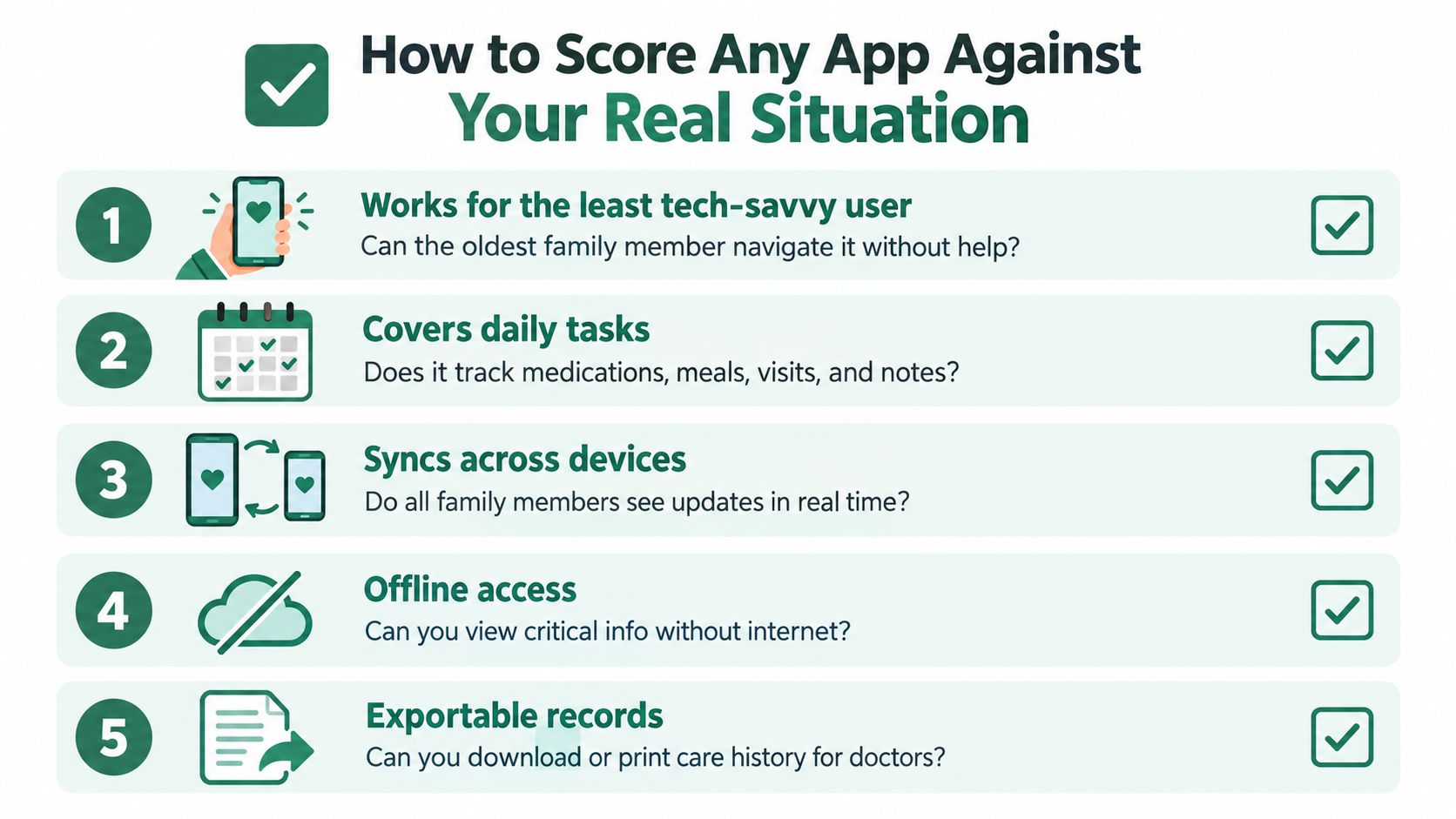
Use a simple scorecard before anyone downloads anything
Start with the least confident user in the circle. If that person can't open the app, read the update and act on it without help, adoption will stall. The recent NORC caregiver technology findings say 57% of U.S. adults face at least one barrier to using caregiving technology more often, including the care recipient being unwilling or unable to use it, privacy concerns, lack of time to learn it and accessibility issues. In practice, that means onboarding matters more than feature count. A ten-minute tutorial is often too much.
Score every candidate app against five questions:
- Does it work for the least tech-savvy person? If the oldest family member can't use it, the family will drift back to text messages.
- Can roles match real family dynamics? A sibling abroad, a spouse at home and a home-care worker should not all see or edit the same things.
- Does it handle poor connectivity? Families don't always have perfect internet in the kitchen, at the hospital or in the car.
- Are entries attributable and editable? You need to know who wrote what, and you need a clean way to correct mistakes.
- Does it stay clearly on the coordination side of the line? An app should organize care, not pretend to diagnose or monitor emergencies.
A useful shortcut is to ask, “Can this survive a week when nobody wants another app notification?” If the answer is no, the tool is too heavy. For a practical comparison of home and caregiver products that might sit beside an app in the broader support setup, the best home safety products for elderly page is worth a look.
The app should earn trust, not assume it
A family caregiver app only works if the family believes it will still make sense next month. That's why accessibility, permissions and export options matter as much as reminders. If the app feels like work to set up, don't expect weekly use.
For readers who want a secure way to keep family communication separate from casual messaging, the explainer on secure private messaging is a good complement, because trust starts with keeping the right people in the right space.
Privacy, Hosting and Trust Without the Jargon
Caregivers share information they would never put on social media. Prescriptions, diagnoses, discharge notes and the little observations that make care understandable all deserve a stricter standard than ordinary chat. The questions are simple, even if the legal terms aren't.
Ask where the data lives and who can see it
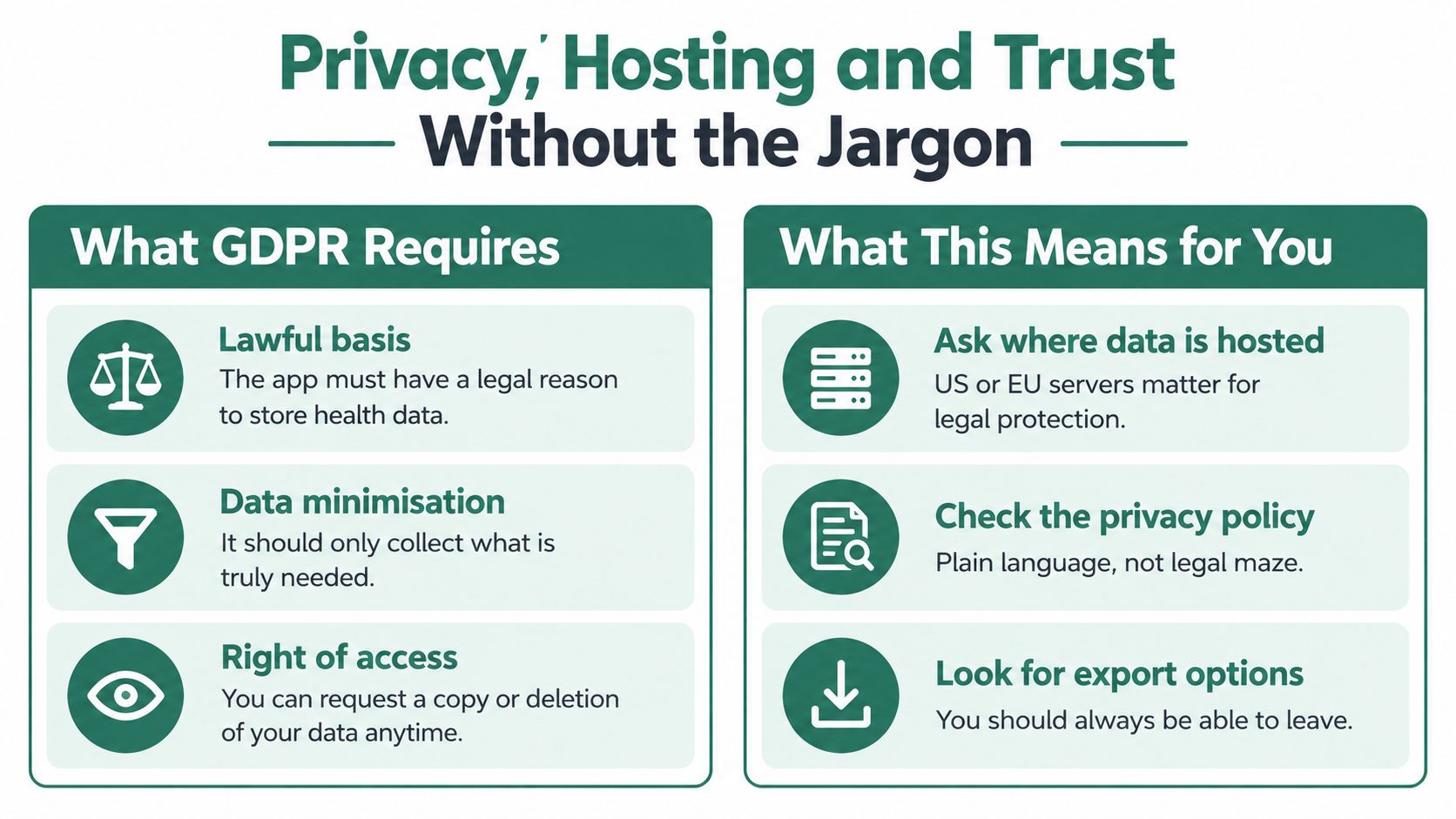
Under GDPR, the practical questions are straightforward. There needs to be a lawful reason to process the data, only the information that's needed should be collected, and people need a way to access or delete their data when appropriate. That's the core of lawful basis, data minimisation and right of access in everyday terms.
For families in France, the HDS framework matters because it covers the hosting infrastructure for health data. That does not mean the app itself is a certified medical device. It means the host must meet the hosting standard, which is useful, but it is not the same as a clinical endorsement.
Before uploading anything sensitive, ask these questions:
- Where is the data stored? Families want to know whether the host is in a jurisdiction they're comfortable with.
- Who can access it? A sibling who leaves the tribe should not keep access forever.
- How is identity verified? If a professional worker or relative joins, the app should know who they are.
- Can we export the records? If the family changes tools, they shouldn't lose the care history.
- What happens when someone exits? Roles should be revocable without drama.
Red flags are usually obvious
If an app promises diagnosis, continuous monitoring or emergency response, that's a different category of product. A family caregiver app should organize information, not blur the line between coordination and clinical care. If the wording sounds like a medical device claim, step back and read the privacy policy before anyone uploads a prescription.
A good rule is this. If the tool can't explain where the data goes in plain language, don't make it the place where you store the family's most sensitive details.
A Two-Week Onboarding Checklist for the Whole Tribe
Start with one coordinator. That person sets up the tribe, invites the others and keeps the first week from turning into a group chat debate. Don't make setup a committee project, or nothing will get done.
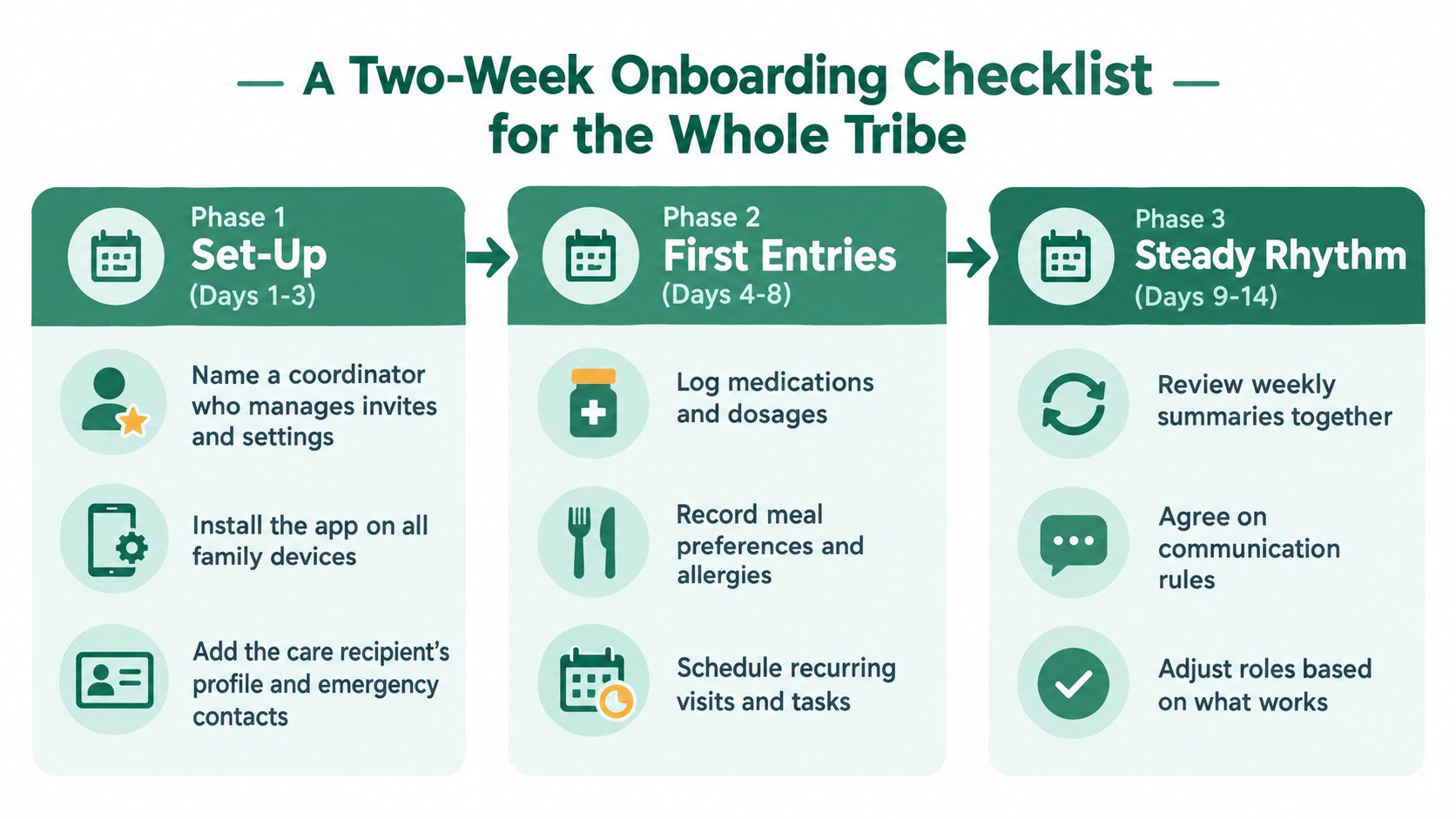
Days 1 to 3 set the foundation
Pick the coordinator, define who can view, who can edit and who only needs updates. Invite the family with the lowest-friction route you can offer, and make sure there's a fallback for anyone who doesn't use a smartphone. Add the care recipient's profile, emergency contacts and the first basic permissions.
Keep the opening setup small. If you ask people to learn every feature at once, they'll remember nothing and return to text threads.
Days 4 to 8 give the app something real to hold
Enter the medication schedule, the next few appointments and at least one care journal note. Add the document that people always search for at the last minute, then create a few recurring tasks so the app has actual responsibility in it. The point is not completeness, it's momentum.
A short journal entry matters more than a perfect form. It teaches the family what kind of updates belong there, and it gives the app a useful tone from day one.
Days 9 to 14 decide what stays
Set a weekly update time, agree on when a comment is enough and when a separate message is better, and choose two recurring tasks that someone owns. If the app starts to feel noisy, remove what isn't used rather than forcing everyone to keep pretending. The best test is day 14, when the initial excitement is gone and only useful habits remain.
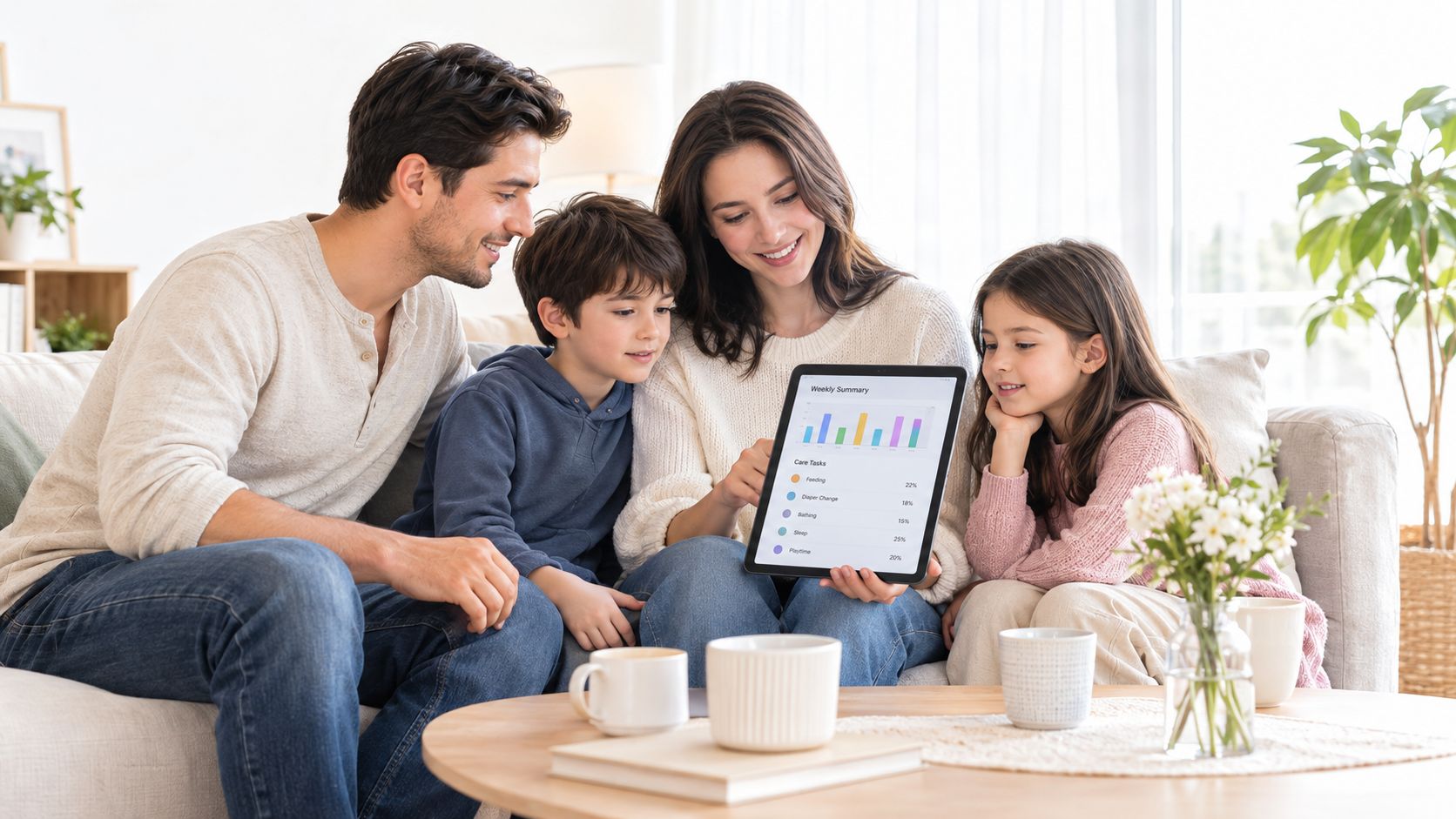
A realistic rhythm beats enthusiasm every time. Small entries, clear ownership and one place to look are what keep the whole thing alive.
A Realistic Week With the App
Monday starts with a delayed home-care visit, so the coordinator updates the schedule and shifts the medication slot. Nobody has to guess whether the change happened, because the note is timestamped and visible to everyone who needs it.
Tuesday, a sibling abroad opens the journal, reads yesterday's entry and comments on the change in appetite. Wednesday, the nurse visit goes onto the calendar and one family member claims the transport task. Thursday, a missed dose leads to a short message thread, then a journal note records the time and the next step. Friday, a prescription photo is saved with the rest of the documents, and the renewal is added before the weekend.
The week ends with a Sunday summary sent to the long-distance member. That's the pattern that works, small entries, attributed authors, clear next steps, and fewer calls asking, “Did anyone already handle this?”
Choosing Your Next Step Without Pressure
Don't shop for the perfect app. Pick the one coordination problem that wastes the most time this week, and solve just that for two weeks. If the tool survives week three, it's earning its place.
Tribulys is one option for families who want a shared care journal, medication tracking, tasks, appointments and documents in one private space. It offers a free Essentials plan for up to five members, works on web, iOS and Android, and is hosted in France under the HDS framework with GDPR compliance.
If you want a family caregiver app that's built around shared responsibility instead of scattered messages, Tribulys is worth a look. Start with two people, add the first three journal entries, and see whether the routine feels lighter by the end of the second week.
Put this organisation into practice with Tribulys
Keep your care journal, shared calendar, tasks, medication tracking and emergency information together. Start for free and invite the relatives and professionals involved in your loved one’s care.