
You're probably doing this already, a text thread with one child, a phone call with a spouse, a note on the fridge, and one appointment time that keeps getting confirmed by the wrong person. The problem usually isn't that anyone forgot, it's that the same care plan lives in too many places at once. A caregiver calendar app matters when the family needs one shared view of visits, tasks, handovers, and changes, not just another place to park a date.
For French families, that need is structural, not occasional. Care support often involves spouses, adult children, siblings, relatives who live elsewhere, and home-care professionals at the same time, so a calendar has to coordinate people, not just events. A useful app turns scattered messages into a single source of truth for appointments, transport, follow-up tasks, and who is responsible for what.
Table of Contents
- When a Shared Calendar Becomes Necessary
- What a Caregiver Calendar App Actually Does
- Who Uses a Caregiver Calendar and When It Helps
- Setting Up Your First Shared Calendar
- Choosing the Right App With a Clear Checklist
- Common Pitfalls and How to Avoid Them
- How Tribulys Maps to These Needs and What to Do Next
When a Shared Calendar Becomes Necessary
Monday morning starts with a doctor's office calling the daughter, the spouse replying in a WhatsApp thread, and the home-care worker asking in a separate text whether the cardiology slot is still on. By lunch, one person has the old time, another has the new time, and the third saw the update too late to arrange transport. Nobody is careless. The information is fragmented.
That's the point where a caregiver calendar app stops being a nice-to-have and becomes the coordination layer the family was missing. It replaces the kitchen notepad, the endless group chat scroll, and the “did anyone tell the nurse?” problem with one shared view that everyone can check. For families managing care at home, that's the job.
This guide on home care coordination fits well if you're trying to move from improvised messaging to something more reliable.
What the app replaces
A good shared calendar doesn't just store dates. It helps the family see who is coming, who confirmed, what changed, and what still needs action. That matters because caregiving in France often involves several people around one supported person, not one main organizer doing everything alone, as the CNSA's caregiver data makes clear. The app is there to reduce confusion, not to monitor health or replace professional care.
Practical rule: if an appointment can be missed because the right person didn't see the update, the family needs a shared coordination tool, not another reminder.
The rest of the decision comes down to four habits: define the tool clearly, choose features that support responsibility, set it up with actual roles, and avoid notification overload. If the app can't handle those basics, it's just a prettier calendar.
What a Caregiver Calendar App Actually Does
A caregiver calendar app is not a general calendar with a few extra fields. It's a shared coordination space built for the people supporting one person at home, where the family can see appointments, visits, responsibilities, and follow-up in the same place. That distinction matters because caregiving isn't only about dates, it's about who owns each part of the visit.
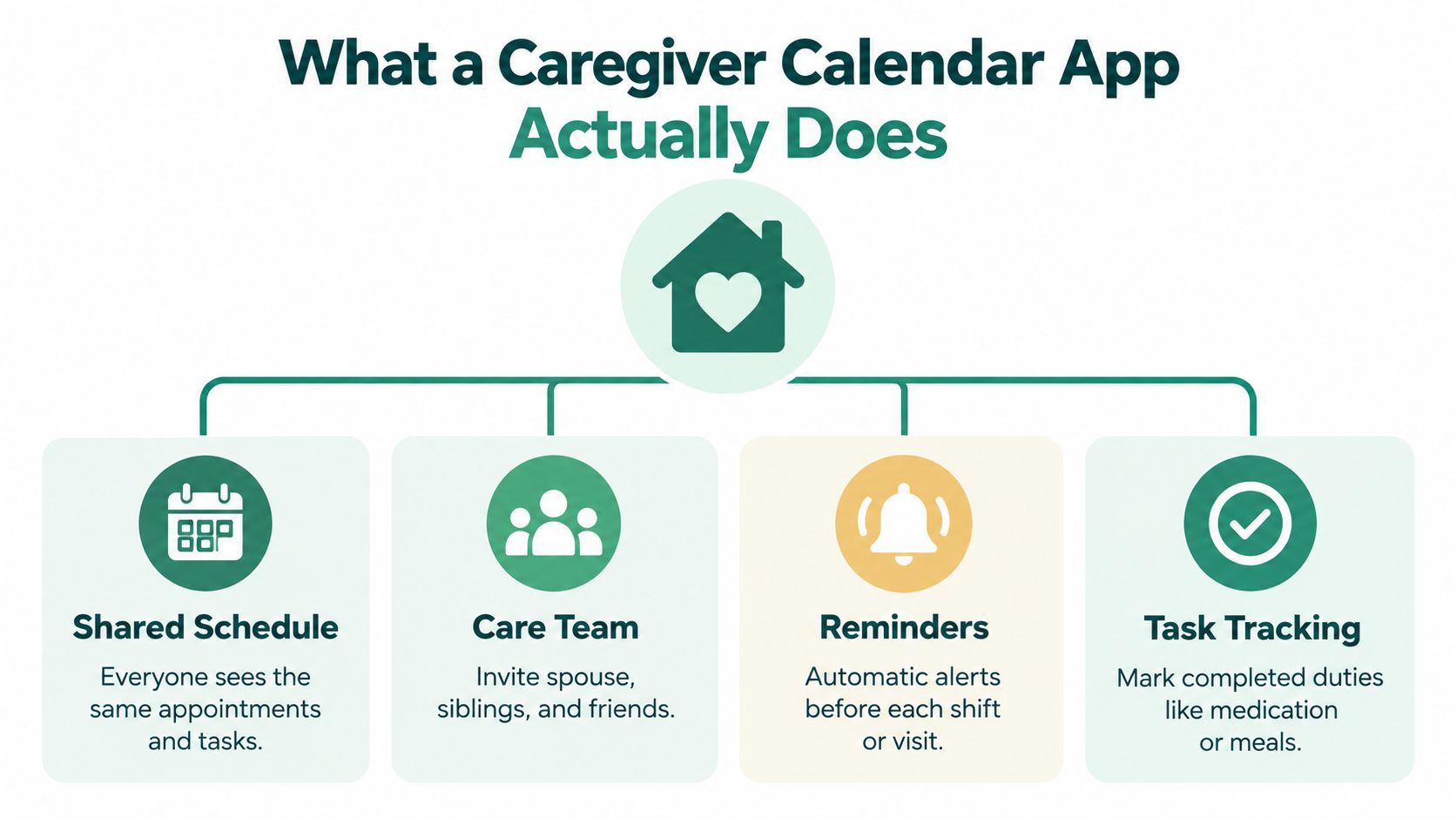
The four core building blocks
A shared schedule keeps medical appointments, home visits, and family availability in one place, so nobody has to reconstruct the week from messages. Reminders should go to the person who needs to act, not automatically to everyone, because broad alerts quickly become noise. Role-based permissions let a spouse, adult child, sibling, or home-care worker see the right level of detail without exposing everything to everyone. Structured handovers capture what happened during a visit, so the next person arrives informed instead of guessing.
That's also why a simple shared calendar often falls short. It can show time slots, but it doesn't reliably show status, accountability, or what changed after the visit. A true coordination tool should make it obvious whether an event is proposed, confirmed, completed, or cancelled, and who edited it last.
If you want a wider view of how coordination tools fit into care management more broadly, the family guide to ABA case management is a useful reference point. It's not the same use case, but the logic is similar, one shared system should reduce confusion for the whole care circle.
What to expect from the right tool
Look for four things before you care about anything flashy.
- Shared events: appointments, home visits, transport, and family availability in one place.
- Targeted reminders: alerts sent to the person responsible, not the whole group.
- Controlled access: different views for family members and professionals.
- Visit handovers: a short note after each visit, so the next person doesn't start blind.
That's the baseline. Anything else is extra.
Who Uses a Caregiver Calendar and When It Helps
The people who need this tool most are usually not all in the same house, and that's exactly why the calendar has to do more than hold dates. An adult child juggling work and a parent's appointments needs visibility without twenty repeat calls. A spouse handling daily support needs a simple place to track what's next without carrying the whole plan in their head.
Common setups that benefit
- Adult children balancing work: They need a shared view of medical visits, transport, and follow-up tasks, plus a way to assign responsibility before the week gets messy.
- Spouses doing the day-to-day support: They usually need the calendar tied closely to routines, home visits, and medication-related reminders, not just appointment times.
- Siblings splitting work unevenly: A shared calendar shows who already helped, who's next, and where handoffs were missed.
- Long-distance relatives: They don't need every detail, but they do need reliable visibility so they can step in without making more calls.
- Families after hospital discharge: The first weeks are full of appointments, documents, and home visits, so a structured calendar keeps the transition from becoming chaos.
- Home-care workers: They need context, not just a slot. A visit note, a task list, and a clean handover make the next visit smoother.
For families comparing broader support tools, exploring senior services for families is a helpful complement because it frames care as a mix of family coordination and outside services.
What changes from one situation to another is permissions. A professional caregiver may need the medication schedule and visit notes, while a distant sibling may only need timing, status, and a short update. That's not a technical detail, it's a trust issue.
The right app helps when the family is trying to avoid duplicate calls, missed handovers, and the “I thought you were doing it” problem. It doesn't solve care itself, but it makes care visible.
Tribulys's elder care app page is worth a look if you're mapping this kind of shared setup to a digital tool.
Setting Up Your First Shared Calendar
Start with the care circle, not the appointments. Create one shared space for the supported person, then invite the people who take part in the routine: a spouse, two adult children, a sibling who lives elsewhere, and the home-care nurse. Give each person the access they need, not more.
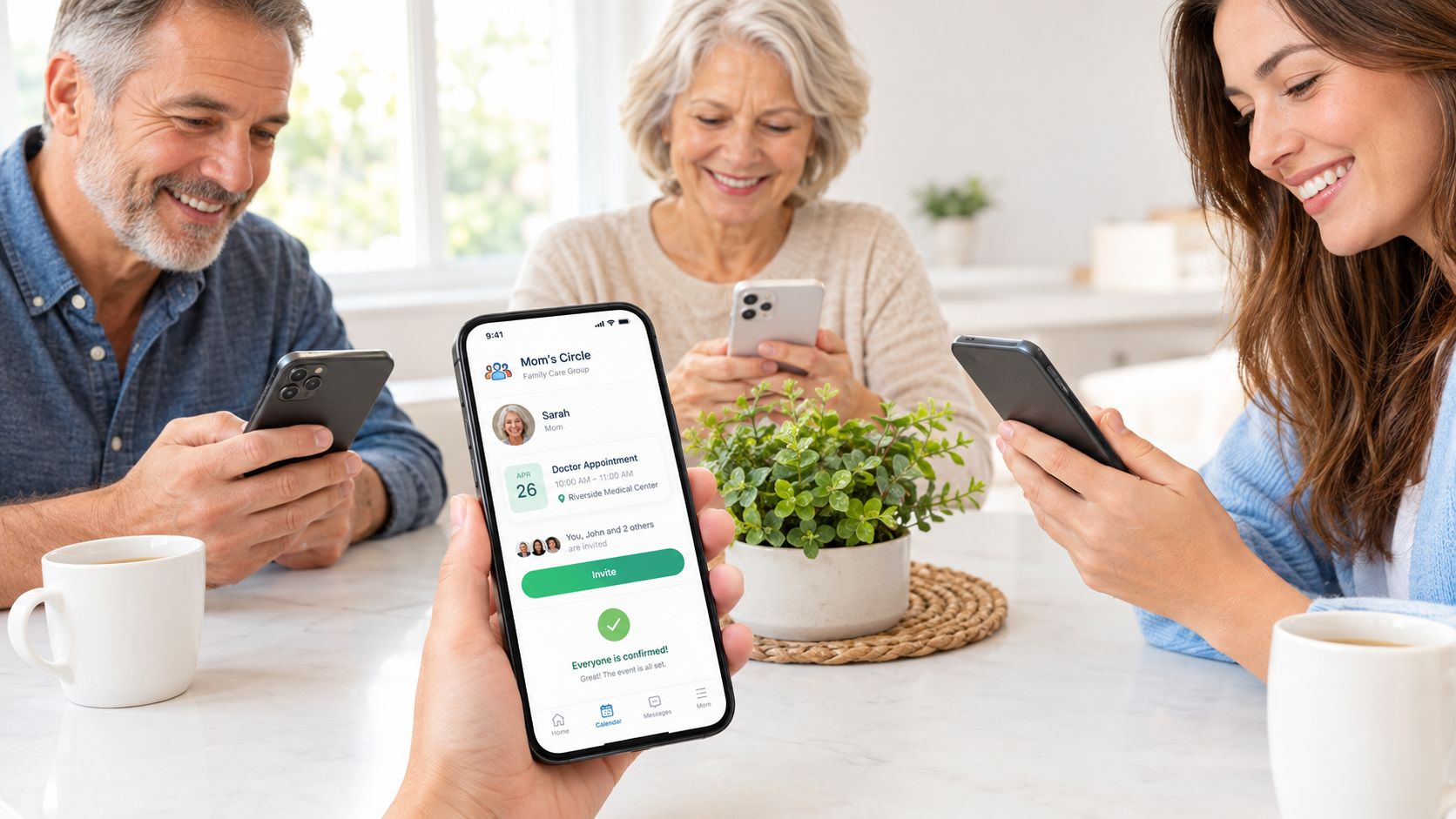
The first hour setup
Enter the first three events exactly as they exist in real life. Add the cardiology appointment next Tuesday, the nurse visit on Thursday morning, and the sibling visit on Saturday. Then attach the responsible person to each one, plus the transport plan and any documents that need to travel with the patient.
That sounds obvious, but most families skip the accountability layer and end up with a pretty schedule that nobody can act on. A date without an owner still creates confusion. A date with an owner, a transport note, and a document checklist creates a usable plan.
Good setup beats perfect setup: use the app to make one appointment easier first, then expand it once the family trusts the process.
After the calendar is in place, set reminders with restraint. Send them to the person who needs to confirm, leave, drive, or prepare paperwork. Don't blast the whole group unless everyone needs the same alert.
Write the handover while the visit is still fresh
After a visit, add a short note in plain language, what happened, what changed, what needs follow-up, and whether another family member needs to act. That's the difference between a calendar and a coordination system. It turns one visit into shared knowledge.
The embedded video below is useful if you want to see the shape of a simple setup before making your own.
If the app also stores documents, add prescriptions, discharge notes, and reports right next to the related appointment. When the record and the schedule live together, nobody has to dig through email later.
Choosing the Right App With a Clear Checklist
A decent app passes the same practical test every time. Can the family see the same information, can the right person act on it, and can the tool handle changes without creating more work? If the answer is no, keep looking.
Caregiver Calendar App Selection Checklist
| Criterion | What to check |
|---|---|
| Privacy and data location | Confirm where data is hosted and who can access it. |
| French HDS hosting where relevant | If the app stores health data in France, check whether the hosting infrastructure is certified under the French HDS framework, and remember that hosting certification is not the same thing as certifying the application itself. |
| GDPR compliance | Look for a clear privacy policy that explains data handling and deletion. |
| Mobile and web access | Make sure the app works on the devices your family actually uses. |
| Offline recording | If home visits happen where signal is weak, check whether notes can be entered without a live connection. |
| Notification control | Alerts should be adjustable, not hardwired to spam the whole group. |
| Role-based permissions | The app should let you invite people with different access levels and revoke access when needed. |
| Document storage | Prescriptions, reports, and discharge papers should sit beside the relevant care event. |
| Medication and visit notes | You need a place for structured handovers, not only a time slot. |
| Language and country support | Check that the interface and support match your family's context. |
| Total cost | Look at the full cost, including whether the price changes with group size. |
The reason to be picky is simple, coordination gets harder when people live at different distances and use different devices. France's ageing population makes that more common over time, and care at home increasingly involves both informal relatives and formal services. The right app should make that mix easier, not force everyone into one narrow workflow.
Watch the fine print: if the app claims health-data hosting certification, read what's actually certified. Infrastructure and software aren't the same thing.
Test the app with the people who will use it, not only with the most tech-comfortable family member. If the spouse can't open it easily, or the home-care worker can't understand the handover, the app isn't ready.
Common Pitfalls and How to Avoid Them
The most common mistake is treating the calendar like a notification machine. Too many alerts, sent to too many people, don't reduce stress, they create another thing to ignore. The fix is simple, only notify the person who has to act.
Five failures that show up fast
- Notification overload: A family receives every reminder, then nobody pays attention. Fix it by routing alerts to the responsible person and only looping in others when their input matters.
- Unclear ownership: An event exists, but nobody is named on it. Fix it by attaching one accountable person and a visible status such as proposed, confirmed, completed, or cancelled.
- Scattered documents: Prescriptions, reports, and discharge papers drift into email and paper piles. Fix it by attaching documents to the appointment or care task they belong to.
- Missed handovers: The next visit starts with no context, so the same questions get asked again. Fix it with a short note after each visit, written while the details are fresh.
- Low adoption by one participant: The app works for the adult child who set it up, but not for the older parent or the home-care worker. Fix it by choosing a tool that the whole care circle can actually use.
Care coordination is time-consuming because families have to align schedules, communicate key information, and keep continuity between caregivers. That's exactly why a calendar alone isn't enough. The system has to make ownership and handover visible, or the family just recreates the same confusion in digital form. The 2025 caregiving report showing only 58% of U.S. family caregivers found coordination with health professionals easy, down from 65% in 2015, is a good reminder that coordination friction is real, and it doesn't fix itself. Caregiving in the U.S. report
If you're comparing tools for a wider care setup, compare options for aging parent care with a close eye on how each one handles shared responsibility, not just appointments.
Short version: if the app doesn't tell you who is responsible, what changed, and what happens next, it's not a coordination tool.
How Tribulys Maps to These Needs and What to Do Next
Tribulys fits this topic as a coordination space for one supported person and the people around them. It groups the care circle into a private tribu, where the family can share a calendar, medication tracking, a care journal for visit notes and handovers, documents, emergency information, and targeted notifications. It also uses hosting infrastructure in France certified under the French HDS health data hosting framework and states GDPR compliance.
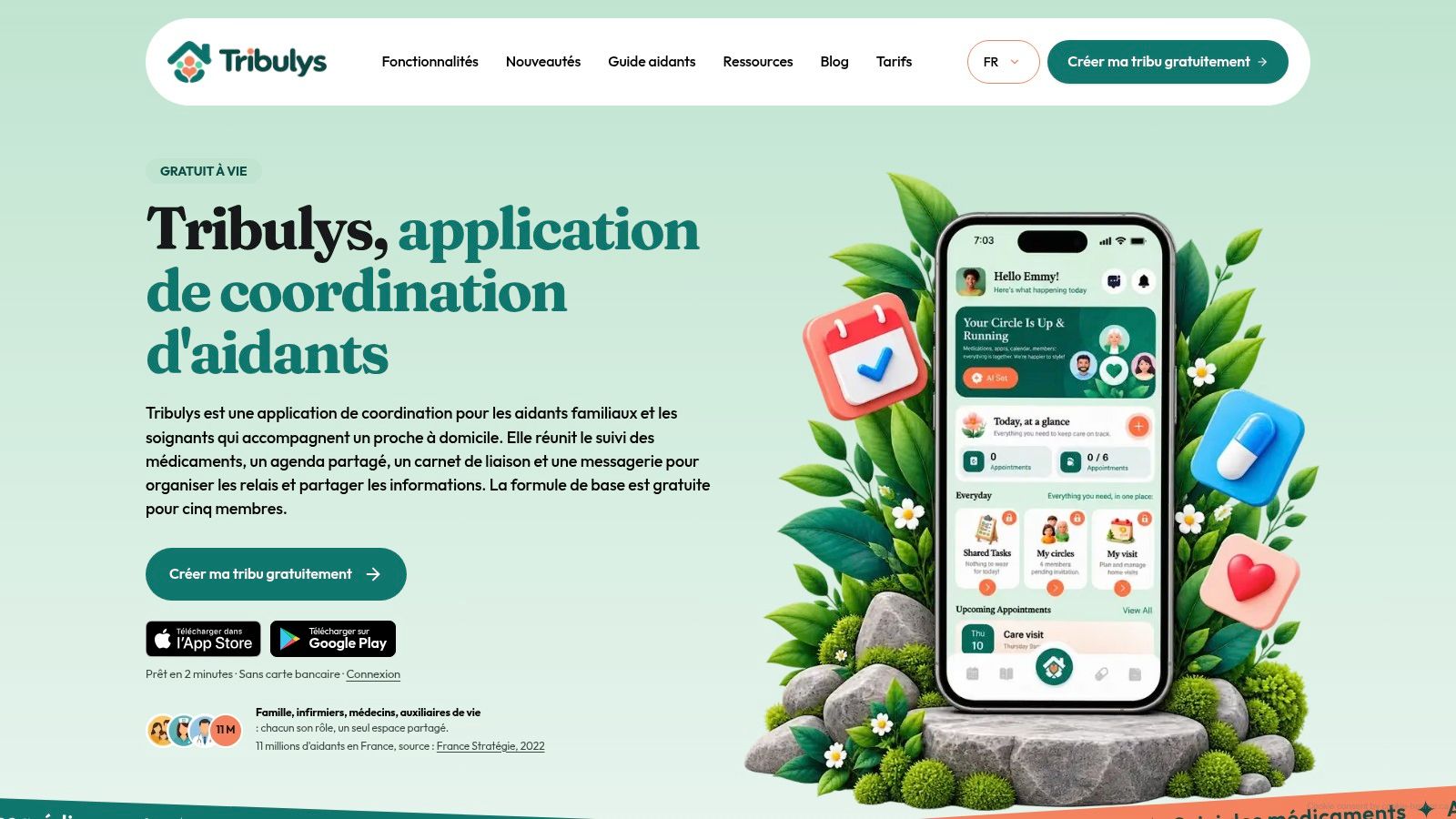
The useful part is how it handles the parts that ordinary calendars miss. A visit can be attached to a note, a responsibility, a document, and a reminder, so the next person has context instead of starting from zero. The Essentials plan is free for life for up to five members, only the subscription holder pays, and invited members don't need individual subscriptions.
That makes Tribulys a practical fit for families who want one place for appointments, handovers, and responsibilities without turning the setup into a complicated project. It isn't a diagnosis tool, and it shouldn't be treated like one. It's a shared coordination space for the work around care, which is exactly what most families are trying to organize.
If you're ready to stop juggling texts, notes, and missed handovers, create a free tribu and use it for the next two appointments that matter most. Tribulys gives you a shared calendar, visit notes, and targeted updates in one private space, so the right people see the right information at the right time. Start with the people who help this week, then add the rest of the care circle once the routine feels natural.
Put this organisation into practice with Tribulys
Keep your care journal, shared calendar, tasks, medication tracking and emergency information together. Start for free and invite the relatives and professionals involved in your loved one’s care.