
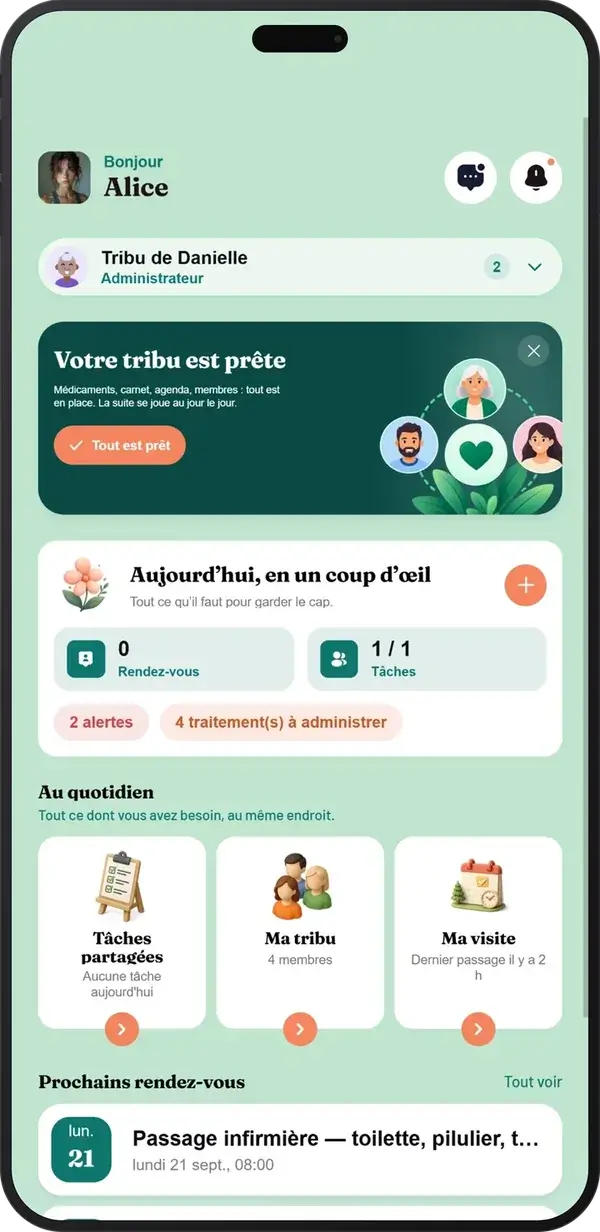
What exactly is Tribulys, and who is it for?
The starting problem is simple: information about a loved one gets scattered. A WhatsApp message, a missed call, a notebook left at their home. By evening, you wonder whether the medication was taken.
Tribulys brings together a digital care journal with timestamped entries, medication tracking, a shared calendar, an emergency information sheet, health measurements (blood pressure, weight, temperature) and tribe messaging.
It is designed for four groups: families, nurses, doctors and home care workers. Everyone has a role and shares the same space.
A clarification: Tribulys has no connection to tribulus terrestris, the plant used in some supplements. This is a coordination tool with no medical promises.
Before you start
Have a smartphone or computer ready, the email address of each person you want to invite, your loved one's first name and your own.
Tribulys works in a browser and has iOS and Android apps. “My Visit” lets you prepare and record a visit offline, then synchronise the information when your connection returns.
The Essentiel plan costs €0 per month and is free for life for up to 5 members. The Famille plan costs €5.99 per month, with unlimited members and a 14-day free trial.
Step 1: create your tribe
- Select “Create my tribe for free”.
- Enter your loved one's first name, then your own.
- Follow the setup until you reach your shared space.
- If you wish, download Tribulys from the App Store or Google Play.
Checkpoint : You can see your tribe's care journal, calendar and medication area. They are still empty, which is normal.
Step 2: invite the right people
Each invitation is addressed to a specific person and sent by email. The invited person joins through the link and can use their browser.
Start with the people involved day to day: your sibling, the home care worker or the community nurse. The doctor can join later.
Checkpoint : Do not invite everyone just in case. Invite only people who need to view information or take action. You can expand the group later.
Step 3: check who has access
You control your tribe: only invited members can access the information. Also seek your loved one's agreement and share only the information that is needed.
Check that every member has the correct email address, that nobody else appears and that everyone understands their role: who records information and who reads it.
If an address is wrong, correct the invitation and resend it. Tribulys is committed to GDPR compliance and uses hosting in France on HDS-certified infrastructure. Our commitments are detailed further down this page.
First use: medication tracking
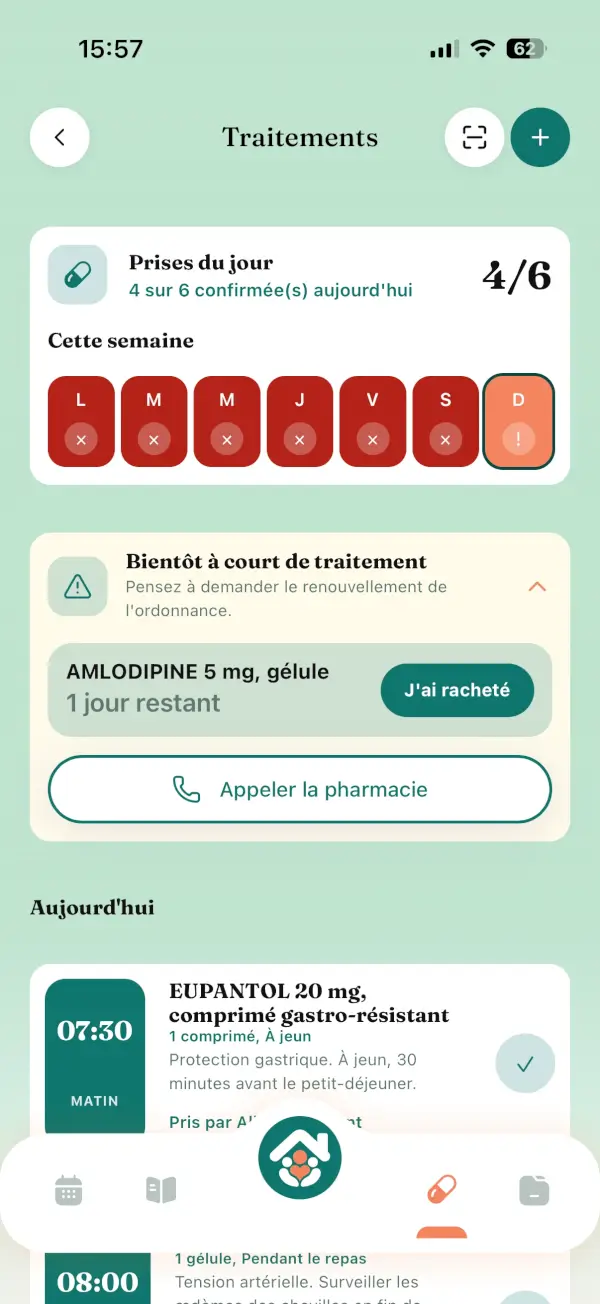
The aim is to reduce uncertainty and help identify missed doses or the risk of a double dose. Tracking does not replace a prescription or advice from a healthcare professional.
- Enter the treatment according to the prescription and set up morning, midday and evening doses.
- Ask the person present, a caregiver or care professional, to confirm each dose. The whole tribe can see it.
- Set up reminders and missed-dose alerts, then check your phone's notification permissions.
- Review the history, for example before a medical appointment.
Checkpoint : Confirm a test entry and check that another member can see it.
A dose is disputed? Review the timeline: entries are timestamped and identify their author. Check with the person present before updating the status and leave a message for the tribe. If there is any doubt about a dose, seek advice from a healthcare professional.
Second use: shared calendar and tasks
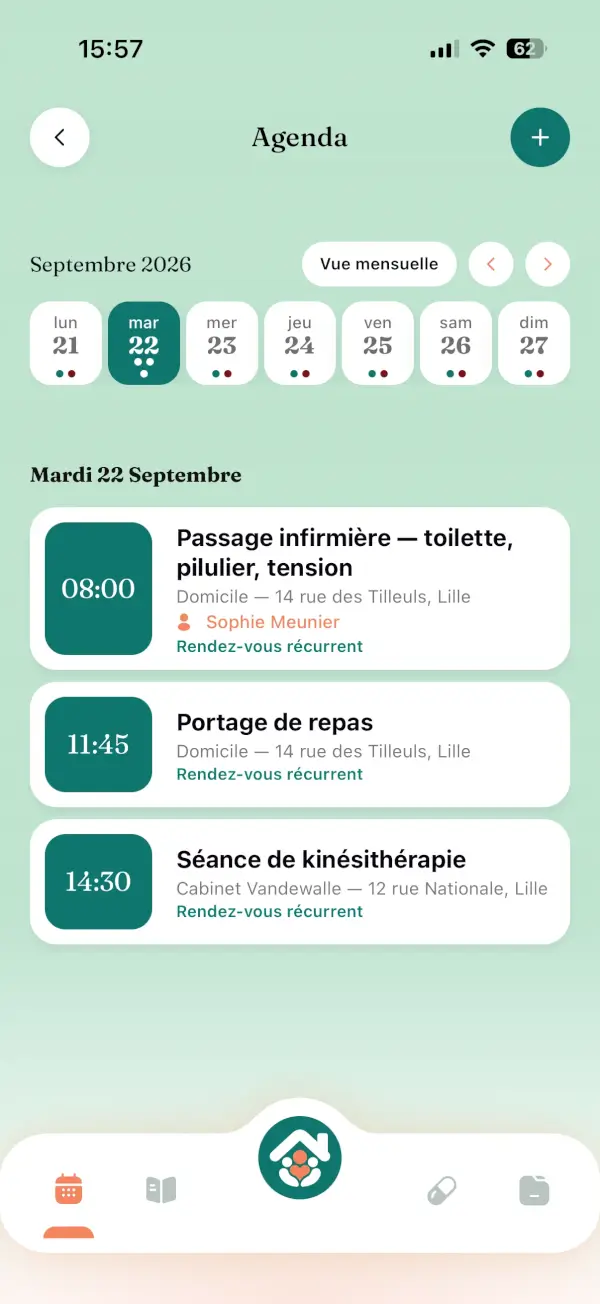
The goal: everyone knows who is visiting tomorrow.
- Create an event, such as a medical appointment or nurse's visit, on the right date and time, with recurrence if needed.
- Set reminders for the relevant members and check their notifications.
- Create and assign tasks: prepare a handover, check a document or arrange help.
- Update the event whenever plans change so everyone keeps the same view.
Checkpoint : A member living far away can see the appointment, and the task is assigned to the right person.
Three everyday examples
The son who lives far away. Every morning, he opens the care journal and reads what happened since yesterday without calling anyone. He can also add an appointment from his desk.
The nurse. During her rounds, she records her handover using “My Visit”. The family and doctor can find it in the shared space.
The caregiving partner. She sees a confirmed dose and has clear information to organise what comes next.
If things do not go as planned
- A member has not received the invitation: ask them to check their spam folder, then verify the address.
- Nothing appears in the calendar: check that the event was saved and the person belongs to the correct tribe.
- You need more than 5 members: the Famille plan removes this limit, with a 14-day trial.
- Unstable connection: use “My Visit” offline and synchronise when the network returns.
Your checklist and next steps
You now have a tribe, invited members, controlled access, a tested medication tracker, a calendar event and an assigned task.
Next, add emergency information and health measurements, then explore the other features and our guides.