
You're probably reading this while a parent's phone is lighting up with family messages, one sibling is asking for an update, and nobody's quite sure who last saw the pillbox, the home nurse note, or the appointment reminder. That's usually the point where caregiving stops feeling like care and starts feeling like a chain of fragments. An elder care app is meant to stitch those fragments together so the family can see what happened, what still needs doing, and who's responsible next.
Table of Contents
- When Family Messages Stop Working
- Defining an Elder Care App in Plain Language
- Six Features That Change Daily Life
- Privacy, HDS and GDPR Explained for Real Families
- Choosing and Onboarding an App in a Real Care Network
- How Tribulys Fits the Needs Described Above
- Continuity Plan and Frequently Asked Questions
When Family Messages Stop Working
The breakdown usually starts small. One person sends a photo of a prescription. Someone else replies in a group chat. The nurse leaves a voice note. By the time the brother in another city opens the thread, the useful detail is buried under dinner plans, crossed replies, and a dozen “did she take it?” messages.
That's not a communication problem in the abstract, it's a coordination problem. Families don't just need to talk, they need a shared record of what happened, a clear view of what's still pending, and a way to avoid asking the same question five times. France's ageing population makes that need more urgent, because families are organising support across more people and more moving parts, while the supply of potential family caregivers is tightening over time (LEK Consulting).
The real job is to reduce white space
White space is the part nobody owns yet. It's the gap between “the aide visited” and “the doctor knows what changed,” or between “someone should book transport” and “the appointment is tomorrow morning.” An app helps when it turns those gaps into visible tasks, notes, and follow-ups instead of leaving them in someone's head.
Practical rule: if a detail matters tomorrow, it shouldn't live only in a voice message today.
That's why these tools are useful even when the older person doesn't open every screen. The family can still keep a shared timeline, assign tasks, and hand off information cleanly. If you're comparing options, the key question isn't “does it have features?”, it's “does it stop the family from losing the thread?”
Defining an Elder Care App in Plain Language
A useful elder care app is a private shared space for a care group, usually centered on one person living at home. Relatives, home-care workers, nurses, and other trusted helpers can record what happened, note what needs attention, and keep essential information in one place. If you want a broad roundup of consumer-facing tools, this guide on find apps that check in on seniors is a helpful starting point.
What it does in practice
In everyday use, the app acts like a digital notebook with permission settings. One person enters a visit note, another marks a medication reminder, a sibling checks the calendar, and a professional helper leaves a handover for the next visit. The point is not to replace the medical team, but to give everyone a common view of the home-care routine.
That means the app is a coordination layer, not a diagnosis tool and not an emergency service. It also shouldn't be treated as proof that a pill was swallowed or that a task was completed exactly as planned. If the app says “taken,” that may just mean someone marked it taken.
Who usually uses it
A care circle often includes a spouse, adult children, siblings, a long-distance relative, a nurse, a physiotherapist, or a home-care worker. In a good setup, each person sees only what they need, and each update is tied to the person who wrote it. That traceability matters because families don't just need information, they need to trust where it came from.
The simplest test is this, could you explain the app to a sibling in two sentences without promising more than it can do?
If the answer is yes, you're probably describing it well. If the answer is no, the product is probably being oversold, or the care network is too messy to use it yet without a clearer setup.
Six Features That Change Daily Life
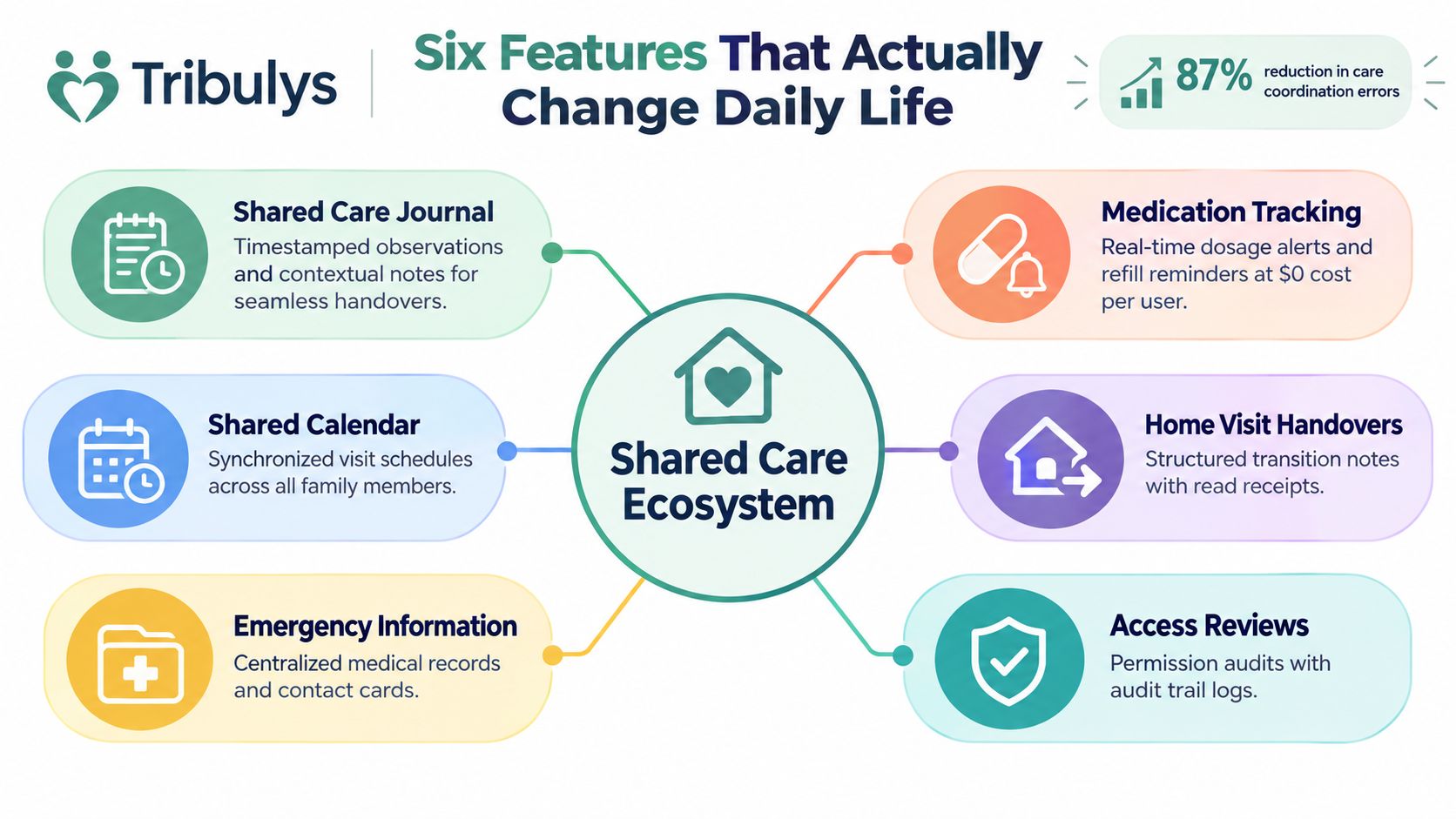
The features that matter most are the ones that reduce repeated explanations. A shared journal saves the family from piecing together the week from voice notes. Medication tracking makes uncertainty visible instead of hidden. The calendar, handovers, emergency sheet, and task assignment do the same kind of work, they cut the number of times someone has to ask, “what happens next?”
Shared care journal and medication tracking
A shared journal works best when it captures ordinary life, not just urgent events. “Walked with Dad to the pharmacy,” “blood pressure log left on the kitchen table,” or “mum seemed confused after lunch” are the kinds of notes that help the next person understand the day without another call. Tribulys' care journal and medication module follow that pattern, with timestamped observations and medication states such as scheduled, reminder sent, marked taken, missed, and unable to verify.
The point is clarity, not perfection. A family can see who wrote what, when it was written, and whether a medication entry is confirmed by a person or still unresolved. That same practical logic appears in the literature on medication-coordination tools, which treats these systems as communication aids that can be audited, not as automatic proof that a dose was swallowed. The caregiver-burden review also points in that direction, since families need less guesswork and fewer status checks when the daily record is easier to share and read (caregiver burden review; systematic review of medication-coordination technologies).
Calendar, handover, emergency details, and tasks
The shared calendar becomes useful the moment appointments start colliding. Medical visits, home-care rounds, and family presence all belong in the same view, because the question is often not “when is the appointment?” but “who can be there?” A handover note lets the next visitor skip the verbal recap and start from the current state.
The emergency sheet is simpler. It should hold the essentials in one fixed place, so no one has to search five different threads in a stressful moment. Messaging plus assigned tasks turns vague requests into accountable actions, which is the difference between “someone should collect the prescription” and “Claire is doing it after work.”
Useful features still depend on how the family uses them. If no one agrees on who updates the record, the app becomes another folder of half-finished notes. The older person's comfort matters too, because a tool only works in daily life if the person receiving care can still follow it or accept help with it.
The simplest test is this, could you explain the app to a sibling in two sentences without promising more than it can do?
If the answer is yes, you are probably describing it well. If the answer is no, the product is probably being oversold, or the care network is too messy to use it yet without a clearer setup.
For families wondering whether a tablet is a better entry point than a phone, this tablet guide for care providers compares the options.
Privacy, HDS and GDPR Explained for Real Families
Families often hear HDS and GDPR and feel as if they need legal support before choosing an app. The practical questions are simpler. Who can see each note, how is it protected, can it be exported, and can access be removed when the care network changes?
What those rules mean at home
In France, HDS certification concerns the hosting provider that stores personal health data as a processor under GDPR Article 28, not every feature inside the app. For a medication record or care note system, families should expect role-based access, strong authentication, encrypted storage and transport, audit logs, and tested backups. The hosting layer matters because the app may hold sensitive records even when the family is using it mainly for coordination. For a closer look at how private messaging and access control work in practice, see this guide to secure private messaging.
A simple checklist helps before anyone trusts an app with private details.
- Who can view each type of record? Relatives, professionals, and the older person can have different permissions.
- Can a member be removed cleanly? Access should be easy to revoke if roles change.
- Can the family export the history? A useful app should let you keep a copy of important notes and documents.
- Are extracted prescription fields checked by a person? If text comes from a document, the original should still be visible and reviewable.
Why uncertainty should stay visible
A family note is not the same as a verified clinical fact. If one person marks medication as taken, that entry should stay a user record, not a claim of independent proof. Care coordination depends on being honest about what is known, what is assumed, and what still needs confirmation.
Prescription extraction needs the same caution. The app should make it easy to compare the extracted text with the original document, because the family is not trying to create a second medical record, only a clearer working copy. If the app hides uncertainty, it can create false confidence, and that works against good coordination.
The older person's comfort belongs in the privacy discussion too. A system can be technically well protected and still fail at home if the person receiving care cannot read it, accept help with it, or understand who is allowed to see what.
Choosing and Onboarding an App in a Real Care Network
A good rollout starts with one account and one clear editor. That does not mean one person owns the care. It prevents duplicate notes, mismatched reminders, and the familiar “I thought you were handling that” problem. If one sibling already acts as the practical organiser, let that person build the first version and bring others in after the basics are set.
How to bring people in without pressure
Reluctant siblings usually need clarity more than persuasion. Tell them the app is there to reduce calls, keep context in one place, and stop the care record from disappearing into a single inbox. A spouse may want very limited screen time, while a long-distance child may need broader visibility, so the invite list should follow real roles, not family politics.
The older person's situation matters here too. When there is low vision, hearing loss, cognitive impairment, or no smartphone, the app should not demand heavy self-service. A caregiver-managed workflow, printed summaries, verbal check-ins, or access handled by a trusted person can keep the person included without turning every update into a chore. A 2025 caregiver study found that training gaps, usability problems, differences in digital confidence, and cultural tension around digital care often create barriers, so forcing everyone into the same setup tends to backfire (Frontiers study on caregiver barriers).
What to decide before the first week ends
The family should agree on a few things before habits harden.
- Who edits the record: one primary editor avoids duplicate versions of the truth.
- Who gets alerts: too many notifications can recreate the same fragmentation the app was meant to fix.
- What happens if the app is down: the family needs a paper or printed backup for essentials.
- How to handle refusal: if the older person doesn't want to use it, the family should still be able to coordinate respectfully.
For a practical checklist on shared-task setup, the guide on application tâches partagées is useful because it connects shared responsibilities to real family workflows. The aim is not to make everyone equally active. It is to make sure no one is left guessing about tomorrow.
| Criterion | What to look for | Why it matters |
|---|---|---|
| Access control | Separate roles for relatives, professionals, and the older person | Keeps sensitive information from being over-shared |
| Shared notes | Timestamped entries with clear authorship | Helps the next person understand what happened |
| Task tracking | Assigned owner and visible status | Reduces “someone should do it” messages |
| Backup plan | Export, print, or paper fallback | Keeps essentials available if the app can't be used |
| Onboarding | Simple invitation flow and low-pressure setup | Makes adoption more realistic for the whole family |
How Tribulys Fits the Needs Described Above
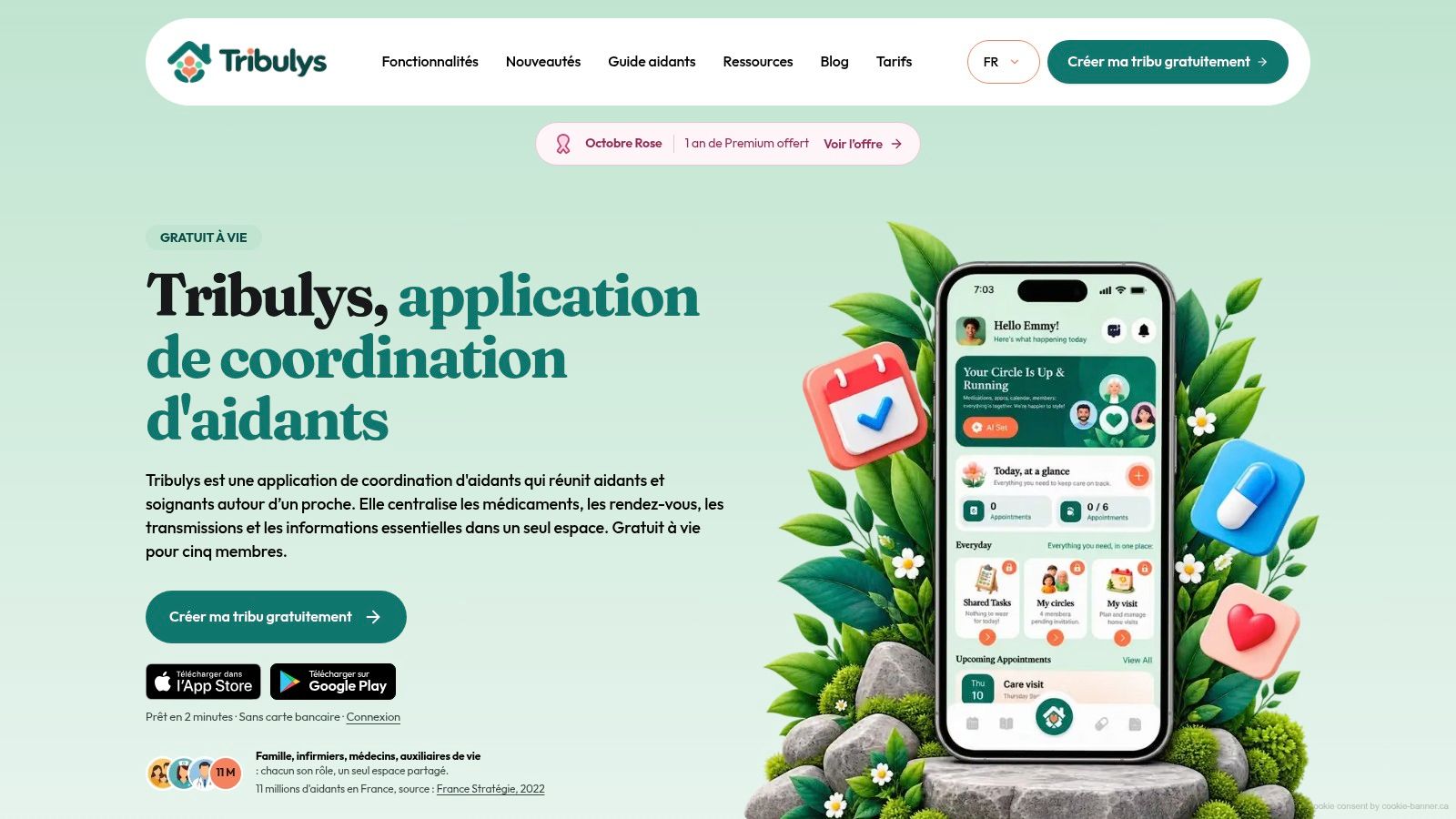
Tribulys fits the coordination problem families run into when updates are scattered across calls, texts, and memory. It combines a shared care journal with timestamped observations, medication tracking with clear status states, a shared calendar, Ma visite handover checklists, an emergency information sheet, and private messaging with assigned tasks. For a household trying to keep tomorrow visible without turning care into surveillance, that mix matches the needs described above.
The Essentials plan is free for life for up to five members, and it covers core coordination. An optional Family plan adds advanced capabilities and supports larger groups. Tribulys also says it uses hosting infrastructure in France certified under the HDS framework and states GDPR compliance, while keeping the hosting layer separate from the idea of a medical device or emergency-response service.
That makes it a sensible option for families who need clearer handoffs, not more noise. It still deserves a look against your own care network, your privacy expectations, and the amount of participation your family can realistically sustain. Compare the free Essentials plan against your own care network before committing anyone to a workflow.
Continuity Plan and Frequently Asked Questions
A good continuity plan is just a short list of what keeps care moving when the app, the phone, or the family routine doesn't cooperate. Start with consent records, then review who can access what, add backup contacts, and keep a simple document-verification habit for prescriptions or ID cards. If the app isn't available for a day, the minimum paper copy should include the essential contacts, the current task list, and the latest important note.
A practical continuity checklist
- Consent records: keep a clear note of who agreed to be included and who can act on behalf of the care circle.
- Access reviews: check permissions regularly and remove people whose role has changed.
- Backup contacts: store at least two reliable phone numbers for urgent handoffs.
- Document verification: keep copies of the documents that matter most and compare them with any extracted text.
- Notification limits: decide which alerts are useful and which ones are just noise.
If you want another plain-language take on continuity in care, this explanation of continuity in care explained is a useful companion read because it separates stable handover from ad hoc updates.
Quick questions families ask
Who pays? In a shared family setup, the subscription holder pays, while invited members don't need their own individual subscription. Can members be removed? Yes, and that should happen cleanly when the care circle changes. What if a professional leaves? Their access should be withdrawn right away, and their recent notes should stay in the record for continuity.
How are prescription renewals handled? Treat them like any other shared task, with one named owner, a visible deadline, and a place to confirm completion. That's the whole point of using an app for caregiving, less chasing, more clarity, and fewer gaps between visits.
If your family is tired of juggling messages, reminders, and handovers, Tribulys gives you one shared place to keep the care record straight. Visit Tribulys to create a free tribe, review the core coordination tools, and see whether the workflow fits the way your family already cares.
Put this organisation into practice with Tribulys
Keep your care journal, shared calendar, tasks, medication tracking and emergency information together. Start for free and invite the relatives and professionals involved in your loved one’s care.