
Most families do not start looking for a caregiver app because they love software. They start because the current system is fraying. One person has the appointment time in a phone calendar, another has the discharge paper on the kitchen table, a sibling is asking the same question in a group chat for the third time, and the person helping at home has already repeated the medication update by phone to three relatives before lunch.
That is usually the moment the problem becomes clear. The issue is not a lack of goodwill, it is that care lives across too many places and too many people. A dedicated caregiver app gives the family one shared place to keep the details that keep getting lost, and if you want a broader primer on the category, the family caregiver's guide to care tech is a useful companion read.
Table of Contents
- When a Family Decides It Needs One Tool to Coordinate Care
- What a Caregiver App Actually Is
- Core Features That Actually Change Daily Coordination
- Who Genuinely Benefits and in Which Situations
- How to Choose a Caregiver App Without Buying the Wrong One
- Common Pitfalls When Adopting a Caregiver App
- A Realistic Two-Week Onboarding Plan for the Family
- A Proportionate Word on Tribulys and What to Do Next
When a Family Decides It Needs One Tool to Coordinate Care
A typical household reaches this point in fragments. The notebook stays at the parent's house, the group chat fills up with half-answered questions, and the professional caregiver ends up repeating the same update to different relatives because nobody saw the first message. By the end of the week, everyone has some of the facts, but no one has the full picture.
The real problem is repetition and drift
A caregiver app enters when repetition becomes the job itself. Someone has to remember who was told what, who is covering the next visit, which document was last updated, and whether the next appointment moved. General tools can help for a while, but they were not built for a care circle that mixes relatives, home care workers, and long-distance family members.
Practical rule: If one person keeps becoming the human search engine, the family needs a shared system, not another chat thread.
That is why a lot of families end up looking for something more structured than messaging or paper. They want a place where updates are written once, where tasks are visible, and where the next person in line does not have to reconstruct what happened from memory. The coordination need is often more urgent than the feature list.
What this guide helps you decide
The rest of the article stays practical. It defines what a caregiver app is, shows which features change daily coordination, and helps you judge whether a tool will really fit the people who need to use it. It also treats adoption as a family decision, because the best tool is useless if the wrong person is expected to carry it alone.
What a Caregiver App Actually Is
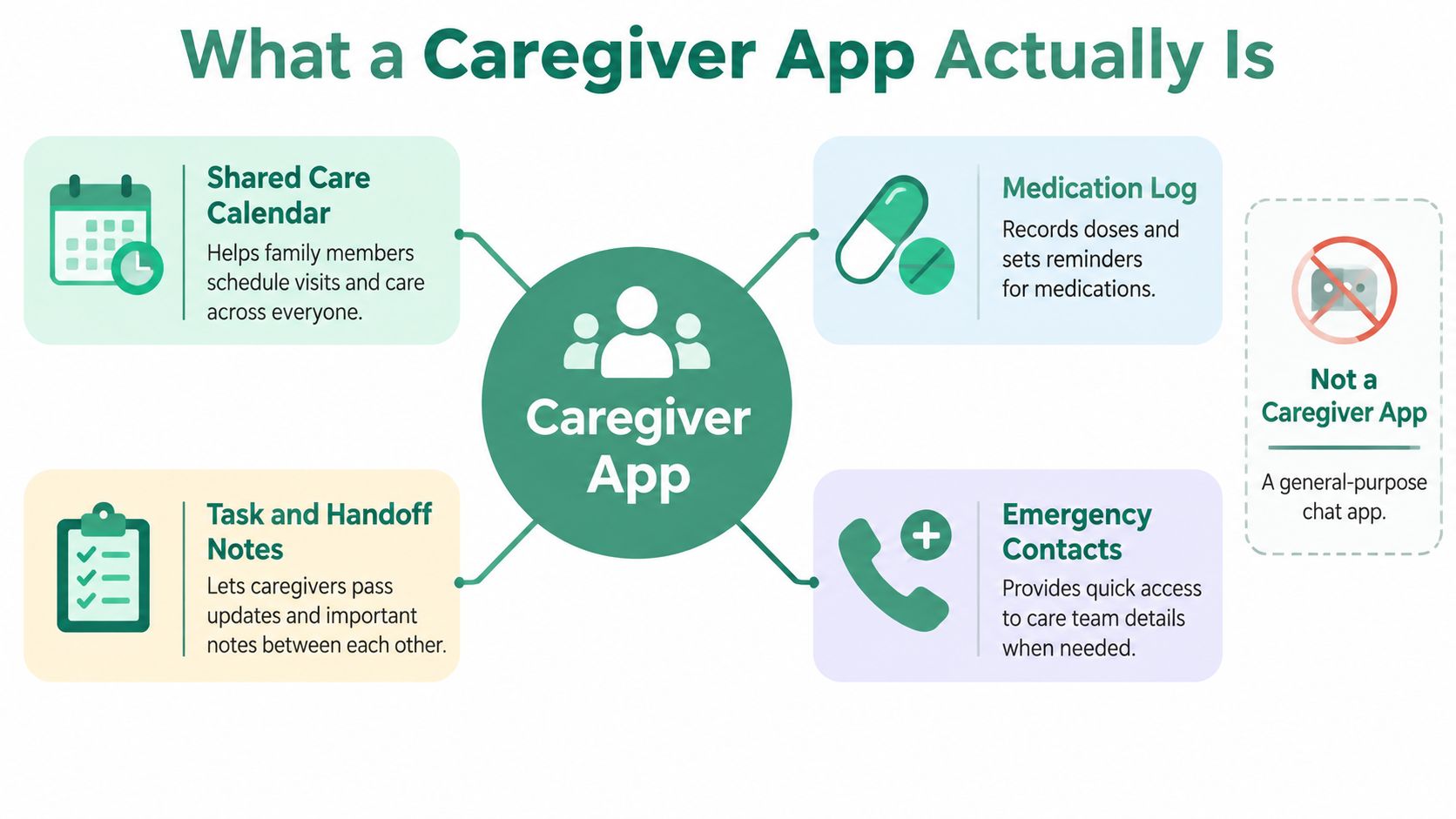
A caregiver app is a shared workspace for the people supporting one person at home. It usually lives on the web and on mobile, and it lets trusted people record observations, coordinate visits, store documents, track medications, and assign responsibilities without losing the thread.
What it is and what it is not
It is not the same thing as a group chat. A chat app gives you messages, but not much structure, no clear history of decisions, and no easy way to control who can see what.
It is also not a personal health record built for one patient only, and it is not a telemedicine platform designed for clinical encounters. A telemedicine overview can help you understand the difference between digital consultations and everyday care coordination, which is why the telemedicine fundamentals guide is useful context, even though the day-to-day problem here is different.
A caregiver app works best when the family acts like a small operating team. Think of it as a shared kitchen, not a hospital ward. Everyone who enters the kitchen knows where the tools are, writes down what they used, and leaves the next person enough context to continue without guessing.
Why roles and attribution matter
In a real care circle, not everyone should see everything. A sibling who wants updates may not need editing rights, and a home care worker may need the visit notes without access to financial documents. That is where role-based access and author attribution matter, because the next person on shift needs to know what happened, who wrote it, and when it was recorded.
A caregiver app works when the family can trust the record enough to stop asking the same question twice.
That is the core idea behind the whole category. It is not about adding another place to check. It is about creating one dependable place where the family can hand over care cleanly.
Core Features That Actually Change Daily Coordination
The features that matter are not the flashiest ones. They are the ones that replace the habits families already struggle with, paper lists, forwarded texts, sticky notes, and “I thought you were handling that.” The value comes from reducing friction in ordinary moments, not from looking impressive in a demo.
| Feature area | What it replaces in a chat-and-notebook routine | Question to ask before adopting |
|---|---|---|
| Shared care journal | Scattered visit notes and memory-based updates | Can each entry show who wrote it and when? |
| Medication tracking | Text reminders and handwritten dose lists | Does it clearly separate a user confirmation from clinical proof? |
| Shared calendar | Overlapping phone calendars and repeated scheduling calls | Can every approved member see changes right away? |
| Guided handovers | Verbal shift changes that get forgotten | Is there a structured note for the next person, not just a message thread? |
| Document area | Loose papers, photo attachments, and file folders | Can families find prescriptions and reports quickly from one place? |
| Emergency information sheet | Searching through contacts and old messages in a hurry | Is the essential information available without digging? |
The six areas that matter most
A shared care journal is the simplest place to start. It lets someone post what happened during a visit, what changed, and what the next caregiver should watch for. That kind of note is far more useful than a vague “all good” message, because it preserves context.
Medication tracking helps with schedules, reminders, recorded dose confirmations, and missed-dose alerts. The useful part is clarity, not certainty. A recorded confirmation is a user entry, not independent proof that a medication was taken.
A shared calendar becomes essential as soon as more than one person is involved. Medical appointments, home visits, family support slots, and transport can all sit in one view so nobody books over a commitment that already exists.
The pieces families use when the day gets messy
Guided visit handovers are valuable when home care workers rotate or when relatives step in for one another. A short structured note prevents the “I'll tell the next person later” problem, which is how details disappear.
A document area gives the family one place for prescriptions, reports, and care plans. That matters more than it sounds, because a photo in a phone album is easy to miss and hard to sort later. For a related internal example of how a shared routine can be organized, see application de tâches partagées.
Emergency information is the last piece, but often the one people are grateful for first. Essential contacts, allergies, and practical notes are easier to reach when they sit in a structured sheet instead of a text thread.
The families who ask for one more feature usually want either measurement tracking or summary notifications. Those can help with organization, but they are still support tools, not monitoring or diagnosis.
Useful test: If a feature doesn't make handover easier, it may be optional.
The best companion resource for a broader support role is the organizing therapy and school notes guide, because it shows how coordination gets simpler when records are kept in one place. In caregiving, that same logic applies to appointments, tasks, and handovers.
Who Genuinely Benefits and in Which Situations
A caregiver app helps most when the care circle is already larger than one person's memory. That usually means an adult child juggling work and appointments, a spouse becoming the main organizer after a diagnosis, or siblings trying to stay aligned across different cities.
Where it makes a visible difference
An adult child often feels the strain first. One missed detail can mean a duplicate call, a missed slot, or an unnecessary rush across town after work. A shared app helps because it gives that person one place to check before acting.
Siblings benefit when responsibility is shared but communication isn't smooth. One person books the appointment, another drives, and a third wants to stay informed without becoming a bottleneck. A common workspace reduces the “Who told whom?” problem.
Long-distance relatives have a different need. They usually don't want to manage everything, they want visibility without pressuring the main caregiver for constant updates. A shared space lets them stay informed while keeping the phone calls for the moments that actually need a voice conversation.
The situations that tend to break down
Hospital discharge is a classic stress point. The family leaves with papers, medication changes, and a list of follow-ups, then has to reassemble the plan at home. A caregiver app is useful here because it centralizes the first week, when confusion is most likely.
Families coordinating with home care professionals also gain from structure. Aides-soignantes, infirmiers libéraux, kinés, and relatives can all see the same handover notes when permissions are set properly.
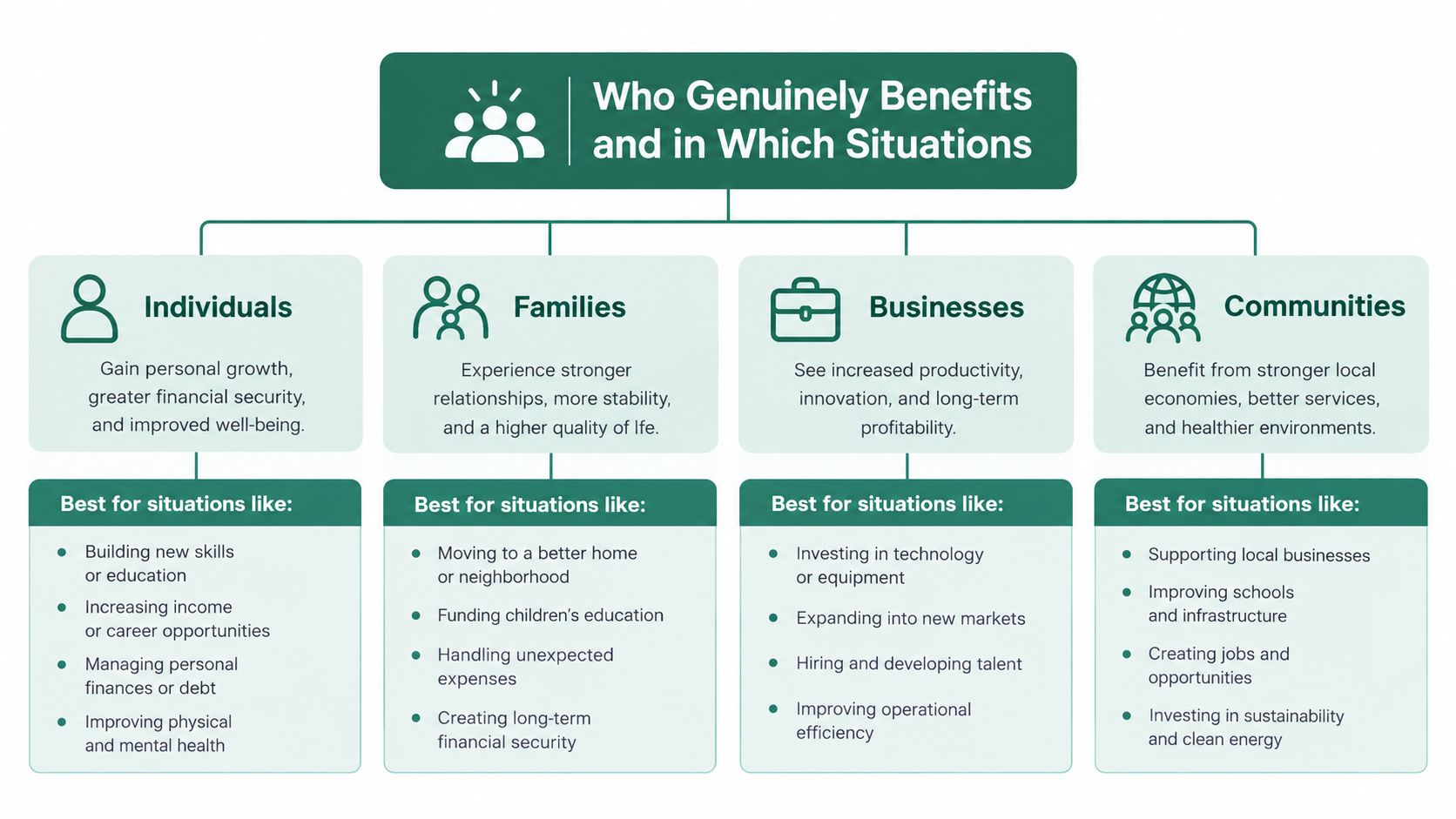
The point is not that every household needs software. It's that the households under pressure from distance, rotating support, or complex routines usually benefit first.
How to Choose a Caregiver App Without Buying the Wrong One
Picking a caregiver app is easier when you treat it like a family decision instead of a feature hunt. The right question is not “What can this tool do?” It is “Will the people who need it open it, understand it, and keep using it?”
A checklist that families can use together
- Privacy and hosting: If you are handling sensitive health information in France, ask where the data is hosted and whether the tool states GDPR compliance and HDS-certified infrastructure. Trust collapses fast when people don't know where the records live.
- Role-based access: Check whether you can give different people different levels of access, then revoke that access cleanly if circumstances change.
- Language and plain wording: A family app should read like something your least technical relative can follow without decoding jargon.
- Accessibility and learning burden: If an older relative needs lots of help to complete basic actions, adoption will stall.
- Offline behaviour: Ask what happens when reception is poor during a visit. If the app becomes unusable, the family still needs a fallback.
- Cost model: Clarify who pays, whether there is a free tier, and how many people are included before fees start.
- Export and portability: If the family leaves later, can you take the data with you?
- Clear scope: The app should state plainly that it is for coordination, not diagnosis or emergency response.
Questions to ask before you commit
Vendor question: “Can you show me how a less digital family member would use this in practice?”
That one question filters out a lot of tools that look good on paper but fall apart at home. A polished demo can hide the actual test, which is whether the family can keep using it after the setup day ends.
Another thing to watch is the temptation of comparison pages that look neutral but are really affiliate content. A sensible shortlist should be based on fit, not on who wrote the most persuasive landing page. If you want a related example of how a care app can be framed around an older relative's routine, the elder care app article is a practical reference point.
The safest choice is usually the one that asks the least of the least confident person, while still giving the main caregiver enough structure to stop juggling everything mentally.
Common Pitfalls When Adopting a Caregiver App
The biggest adoption mistake is buying a tool for one person and calling it a family solution. If only the primary caregiver opens the app, it becomes a private notebook with a nicer interface. That may feel organized, but it doesn't reduce the actual coordination burden.
Where families get stuck
Another common failure is ignoring the least tech-confident person in the circle. If a spouse, sibling, or older relative can't use the app without repeated coaching, the family returns to calls and texts on its own. The app then becomes an extra layer instead of a shared habit.
Over-collecting data causes its own trouble. Families sometimes start logging every possible measurement, then end up anxious about every fluctuation. Keep the system focused on coordination, not on turning the household into a clinic.
There is also a subtle but important misunderstanding around medication. A recorded dose confirmation is useful for organization, but it is not medical proof. Treating it as proof creates false confidence, which is worse than knowing you need to double-check.
Two mistakes that are easy to miss
- Turning the app into surveillance: The person receiving care should not feel watched every minute. That shifts the app from support tool to control tool.
- Skipping the backup plan: If the app is down, if a phone battery dies, or if someone cannot access the system, the family still needs a phone tree and paper fallback.
Every care circle needs a non-digital path for urgent situations.
The accessibility issue is real, not theoretical. A 2025 qualitative study of 30 caregivers found that all participant groups were affected by insufficient formal training in digital health technology, and the same research pointed to usability, affordability, literacy, language, and privacy barriers. France's 2025 Digital Barometer also notes that lack of mastery of digital tools is a leading obstacle to everyday digital use, which is why families should expect some friction at the start. The goal is not to force everyone online, it is to make coordination easier for the people who can and want to use the tool.
A Realistic Two-Week Onboarding Plan for the Family
Week one should stay simple. Write down the care circle, decide who needs full access, who only needs updates, and who should stay outside the app entirely. Then pick one anchor person to set up the shared space and create the emergency information sheet first, because it is the least complicated and the most broadly useful.
Week one and week two
In the first week, invite one extra person to test the setup. That gives you a chance to catch confusion before the whole family is inside the system.
In week two, add the medication schedule and shared calendar, then run two real visits or appointments through the app. After that, hold a short family call, adjust roles, and decide which matters will still happen by phone, especially urgent or sensitive ones.
- Start with one clear owner: One person sets up the first version so the app doesn't become a committee project.
- Test real use, not just logging in: A system is only useful after someone has posted a real update, not after everyone has created an account.
- Keep a read-only route for cautious relatives: A family member can stay informed without becoming a gatekeeper.
- Accept paper as backup: If someone prefers a notebook or printed sheet, that can still fit the system.
The safest rollout is the slow one. A care routine changes when the family can trust the new habit, not when every feature is turned on at once.
A Proportionate Word on Tribulys and What to Do Next
Tribulys fits the kind of caregiver app this article describes. It brings together a shared care journal, medication tracking, a shared calendar, guided visit handovers, documents, emergency information, and the idea of a tribu, which is the trusted circle around one person at home. It's available on web, iOS, and Android, and it's designed for family caregivers and home care professionals who need a clearer way to coordinate everyday support.
It also states that it runs on infrastructure certified under the French HDS health data hosting framework and that it complies with GDPR. The Essentials plan is free for life for up to five members, only the tribe subscription holder pays, and families can start without a bank card. Recorded dose confirmations are still user entries, not clinical proof, and it's not an emergency service or a diagnostic tool.
If you're trying to make care coordination less tiring, Tribulys is worth a look because it focuses on the ordinary work that gets lost in messages and notebooks. You can visit Tribulys to create a free tribe, explore the shared tools, or download the app and see whether it fits the way your family coordinates care.
Put this organisation into practice with Tribulys
Keep your care journal, shared calendar, tasks, medication tracking and emergency information together. Start for free and invite the relatives and professionals involved in your loved one’s care.