
Your phone often rings at the same time. Early in the morning, late in the evening, or just after a medical appointment. It's not always an emergency, but the same question comes back. What if something happens to him when no one is there?
When an elderly parent lives alone, the subject of emergency call button Comes quickly in the family conversation. Often after a fall without gravity, a malaise, a phone forgetfulness, or simply after a night when everyone slept badly. The problem, in practice, is not just to buy a bracelet or pendant. We must choose a system that alerts the right person at the right time, without adding a new layer of confusion to an already fragile family organization.
A good device can secure a home. A bad choice can reassure on the paper, then disappoint the day when it is necessary to act quickly. So the real question is not just "what button to choose?", but "how to integrate it into an organization that lasts forever?"
Contents
- What is an emergency call button and why is it vital
- Physical buttons vs software solutions the great comparison
- Both models of 24/7 teleassistance alert vs direct call to relatives
- Key criteria for choosing safety reliability and cost
- Beyond the emergency insert the button in the coordination of carers
- Conclusion Make the right choice for the serenity of all
What is an emergency call button and why is it vital
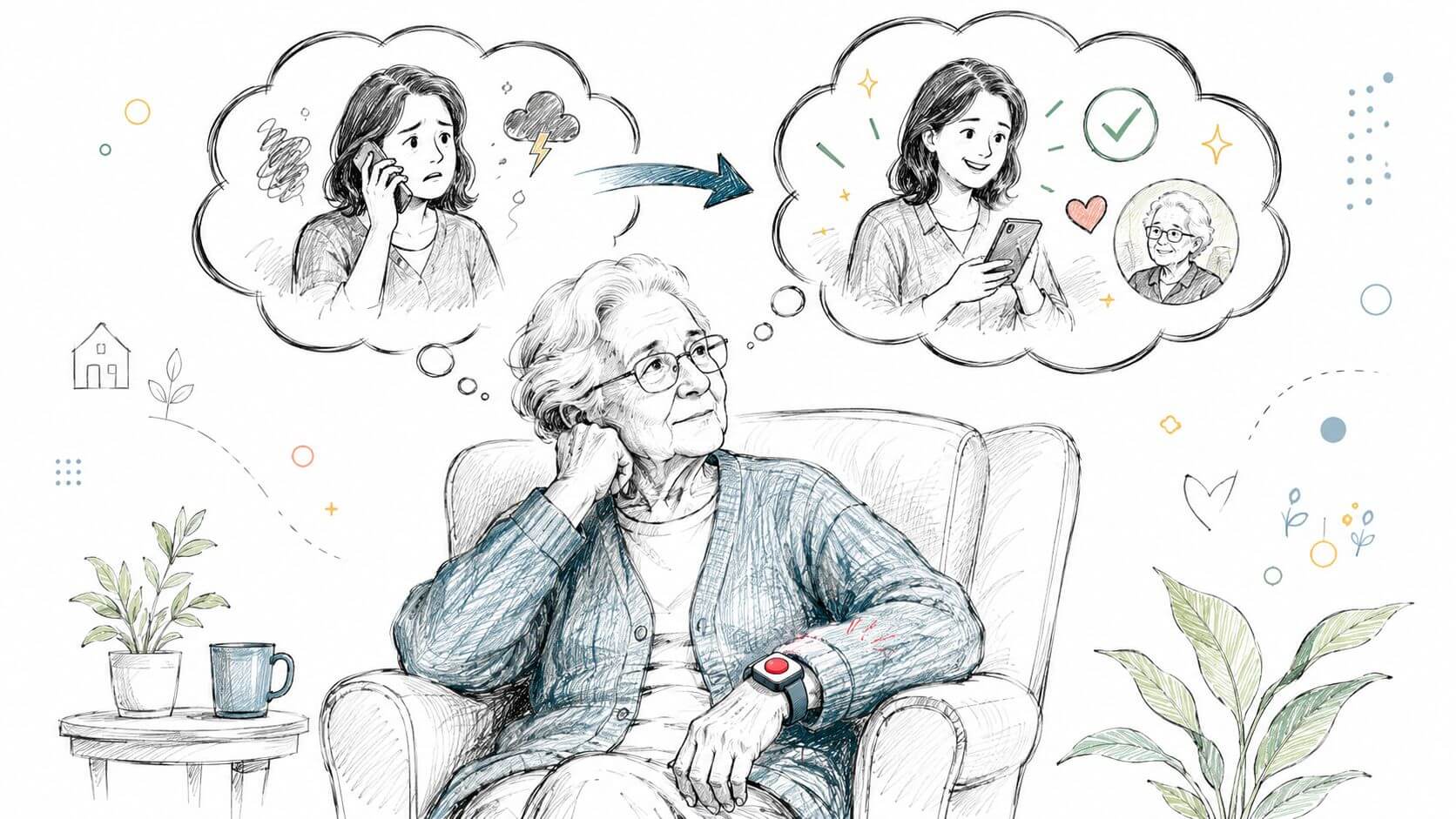
It's 3:00 in the morning. Your mother gets up, falls into the hallway, keeps her lucidity but does not manage to get up or unlock her phone. In that moment, the real question is not just "who to call?". The question is how to trigger the help right away, then how to organize the next one.
One emergency call button First of all, it serves that purpose. Pressure sends an alert to a tele-assistance platform or to designated relatives in advance. The principle is simple. His interest is very concrete. It reduces the number of actions to be performed when the person is in pain, breathlessness, disorientation or panic.
When the classic call is no longer enough
At home, I often observe the same gap between theory and reality. On paper, a phone is enough. In practice, you have to find it, take it in hand, make the right call, speak loud enough, explain the address and describe the situation. After a fall, a malaise or an episode of confusion, this sequence of steps quickly becomes too heavy.
Practical benchmark: The more steps there are between the problem and the alert, the more the risk of failure increases.
That's why a button is not just an emergency tool. It's a way to remove complexity when the person bears the least of it. For a family, this point counts as much as the speed of intervention.
What the button rules, and what it doesn't regulate.
An emergency call button brings three immediate benefits:
- a simple gesture, even in cases of stress or pain;
- early warning, without searching for a contact or dialing a number;
- a clear framework for the environment, with people already identified to receive the alert.
But you have to be honest on your limits. The button does not replace a family organization, nor a follow-up of the passages, nor the flow of information between caregivers. It treats the critical moment. It does not, on its own, solve the following question: who moves, who has the keys, who calls the doctor, who informs the siblings, who checks the next day that everything still holds.
This is where many families are wrong in their choice. They buy a device thinking they have solved the problem of safety, while they have covered only part of the chain. A good alert system must be part of a simple coordination of the daily. To lay this basis, the guide on the role of a family caregiver on a daily basis helps to allocate responsibilities before an emergency occurs.
The right reflex is therefore not only to choose a button. You must choose how the alert fits into a real support network, with planned responses, identified relays and a sustainable organization.
Physical buttons vs software solutions the great comparison
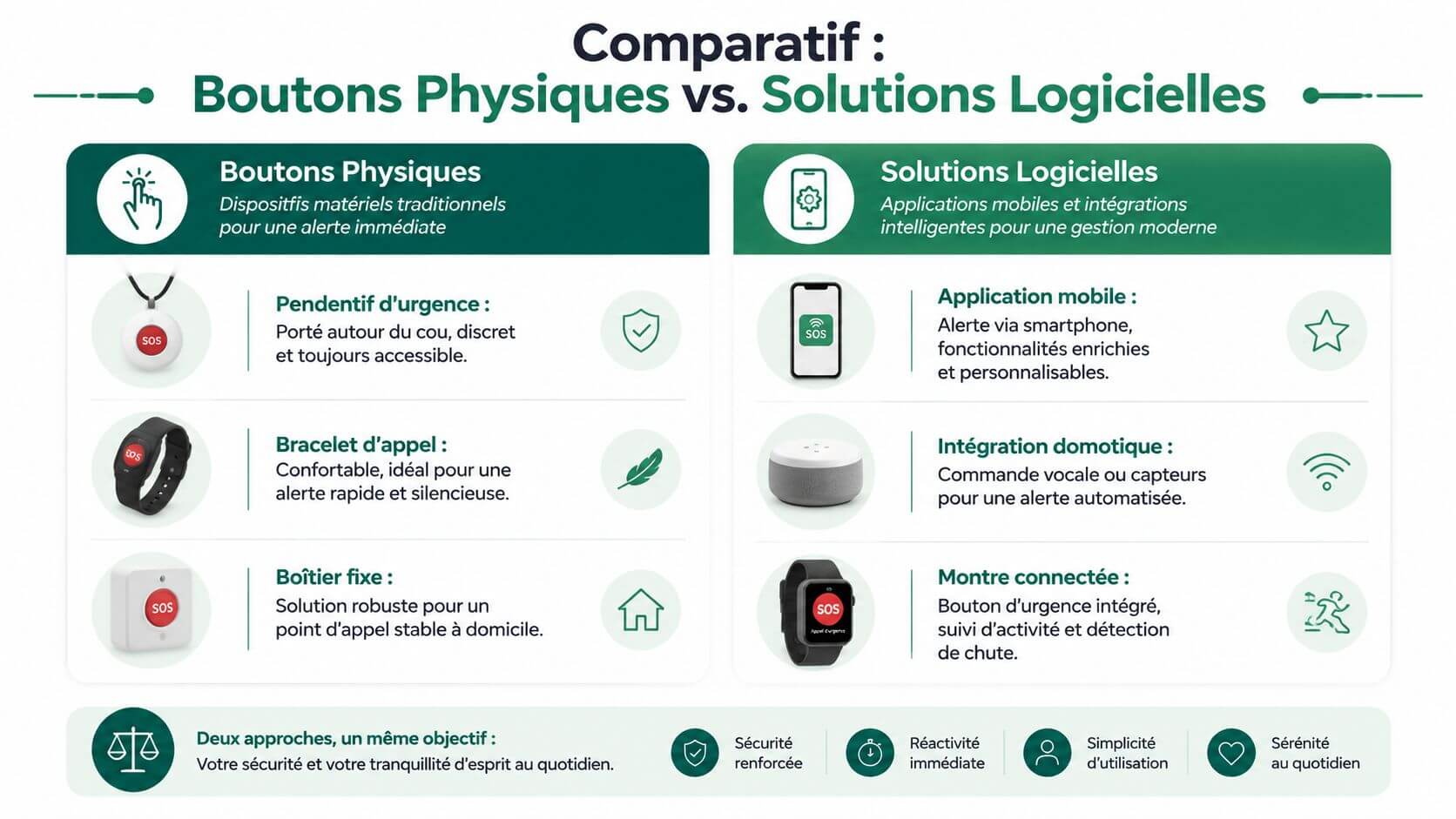
The first concrete decision concerns the format. physical device dedicated, such as a pendant or bracelet, or a software solution on a smartphone or a connected watch? Both approaches meet the same need. They do not pose the same constraints.
The terrain shows one simple thing. When a family seeks simplicity first of all, it goes towards a dedicated object. When it seeks more versatility, it looks at applications. The difficulty is that versatility is not always an advantage for an elderly person who is weakened.
Physical buttons reassure by their simplicity
The pendant, bracelet or fixed case have a clear advantage. They do little, but they do it legibly. The person identifies the object, knows where to press, and does not need to navigate in a menu.
In a home, this format works well when the next of kin:
- Often forgets his phone,
- is not comfortable with the screens,
- needs a very simple gesture,
- moves little out of the housing.
The weak point is known. A physical button is useless if it remains on the night table or in the bathroom. Many families underestimate this detail. The best device remains the one that the person actually agrees to wear.
Software solutions offer more flexibility
A smartphone app or a connected watch often allows you to go further. Geolocation, notifications, sometimes falling detection or access to several relatives can be more integrated into everyday life.
This choice is often relevant for a still active senior, who comes out alone, already uses a mobile phone and understands basic gestures. A connected watch can also be better accepted than a pendant, especially when the person refuses any object that he or she considers medical.
A modern tool is useful only if the user knows how to use it without assistance at the critical moment.
The reverse is clear. A software solution depends more on the battery, updates, mobile network and digital ease. When these elements combine, the alert chain becomes more fragile.
Practical comparative table
| Criterion | Physical button (Pendant, Bracelet) | Software Solution (Smartphone Application) |
|---|---|---|
| Taking charge | Very simple, little learning | Variable depending on interface and habit of mobile |
| Emergency accessibility | Immediately if the object is carried | Good if the phone or watch is on your own |
| Battery Dependence | Often more user-readable | More sensitive to phone or watch autonomy |
| Home use | Very suitable, especially with fixed housing or pendant | Correct, but sometimes less intuitive |
| External use | Depends heavily on the chosen model | Often interesting if the person comes out regularly |
| Acceptance by the next of kin | Excellent if the format is discreet and comfortable | Good for people already familiar with digital |
| Principal risk | Do not wear the device | Too complex interface or unloaded device |
What works according to profiles
In home accompaniment, I usually observe four situations.
- Very old and untechnophile person. The bracelet or dedicated pendant remains the strongest choice.
- Still moving outside. A connected watch or mobile solution can better cover travel.
- Refusal of the Senior DeviceA watch sometimes passes better than a medallion.
- Home with routine habits. A fixed housing may be suitable, but only if the person remains within the range.
What doesn't work well
Some mistakes often come back:
- Choose for yourself, not for the next of kin. Children want a complete application, but the parent never uses it.
- Consolidating functional richness and real security. The more screens, the more friction.
- Ignore Daily AcceptanceA device deemed stigmatizing often ends up in a drawer.
- Forget about family organizationGetting an alert is one thing. Knowing who then acts is another.
For families who also compare digital tools useful in everyday life, this resource on applications for family caregivers helps to distinguish between what is urgent and what is within the organisation.
Both models of 24/7 teleassistance alert vs direct call to relatives
It's 10:30 p.m. An elderly person presses his button after a fall in the bathroom. The real question is not just whether the alert leaves. You need to know who receives it, who evaluates the situation, who recalls, who moves, and who warns the rest of the family.
This is where many comparatives stop too early. A button deals with the emergency moment. A family must also organize the next, sometimes in the middle of the night, sometimes at work, sometimes when no one is available immediately.
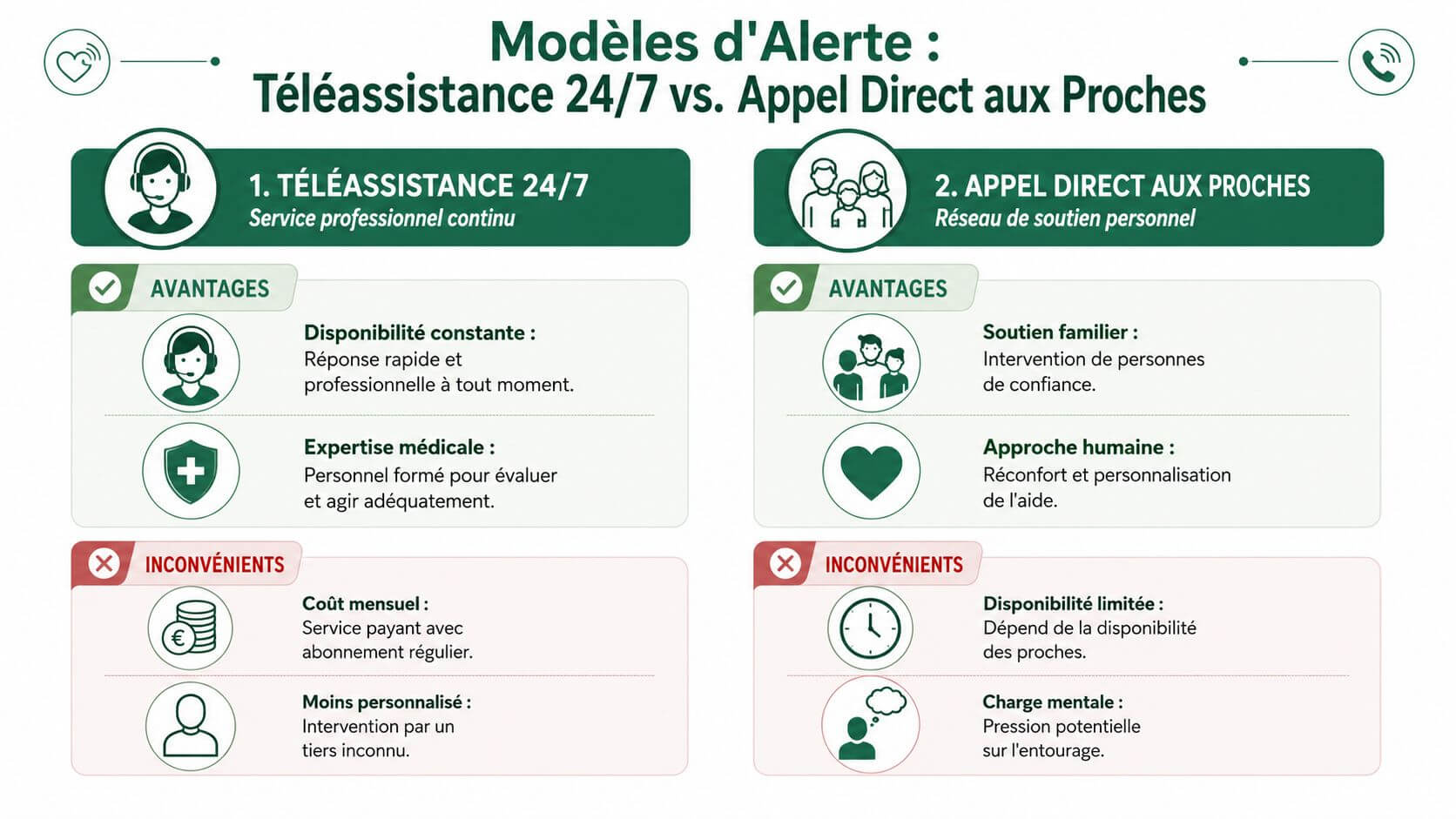
Two models dominate. The first passes through a tele-assistance platform available 24/7. The second is based on a device without subscription who directly calls one or more relatives. The right choice depends less on the marketing promise than on your real ability to respond in the long term.
The model with professional distance assistance
With this operation, the button triggers a call to a dedicated center. An operator exchanges with the person if possible, appreciates the level of emergency, contacts a relative, a referent neighbour or the help as the case may be.
For many families, the main interest is there. Someone answers, even if the children live far away or work in conditions where they cannot pick up. the options presented by LogiadaptThese solutions usually operate on a monthly subscription, the amount of which varies according to the services included.
The compromise is simple. You pay a permanence and an initial sorting of the alert. In exchange, the family is not alone in the front line at each trigger.
This model is often appropriate in four specific situations:
- the person lives alone a large part of the time,
- the relatives are geographically distant,
- medical history requires a structured response,
- The family wants to reduce the risk of a missed call.
The non-subscription model with direct call
Here, the button consists of predefined numbers. Often, it calls relatives in a specific order until someone answers. As mentioned in the same comparison Logiadapt, this model is based on an initial purchase, with significant price differences depending on the equipment.
I advise it with caution. The cost is easier to accept at the start, but the organization requested from the family is heavier than it looks. If no one answers in the first minutes, the button has done its technical work well, but the problem remains.
This is the point that families underestimate the most. Receiving an alert is not enough. It is necessary to be able to decide quickly whether to call a neighbour, move, contact the UAS, or reassure the person if the alert was triggered by mistake.
A visual medium can help clarify this difference:
The real choice concerns the organization of the answer
The price counts, of course. But in practice, the decisive criterion is the chain of answer behind the button.
I often ask families the same question: Who takes the call on a Tuesday at 11:00 a.m., a Sunday morning, or on vacation? If the answer remains unclear, the direct call to the loved ones becomes fragile. Not because of a lack of involvement. Because of the normal constraints of daily life.
On the other hand, some families can work very well without a subscription. Then you need a clear frame. Who can be reached during the day? Who can move in less than 30 minutes? Which neighbour agrees to have a double key? Who takes over if the main reference is unavailable?
The right button is not isolated from the rest
It is here that we move from a simple alert to a real coordination of care. An emergency button, alone, does not manage the consequences of the event. A useful solution must also be part of a wider organization, with defined roles, identified relays, and information shared between caregivers.
In a well-coordinated family, the emergency is not based on a single person. The button signals the event. The system around the button allows you to act correctly afterwards.
In summary:
24/7 teleassistance
Adapted if you need continuous reception and a first level of evaluation.Direct call to relatives
Adapted if the entourage is local, available and already organized to intervene.Useful reflex before buying
Mapping the real response after the alert. It is often this organizational work that avoids a bad choice.
The best model is therefore not only the one who alerts quickly. It is the one who integrates seamlessly into the daily support around the close.
Key criteria for choosing safety reliability and cost
A well-written product sheet may give the impression that all devices are worth it. That's not the case. To choose an emergency call button, you have to look at three blocks. Technical reliability, the relevance of the functions and the actual total cost.
Start with reliability, not design
A device only reassures if it transmits the alert reliably. It is the first filter. technical elements published on the emergency call terminals and the NF Series 80 standard, certified devices NF Series 80 display a transmission reliability exceeding 99,9 %, battery range of at least 72 hours and a reduction in emergency response time 15 to 25 % on average.
These data have a very concrete translation in the home. In case of electrical shutdown, the system continues to work. In case of stress, the alert starts without depending on a complex oral explanation.
Useful functions are not the same for all
There is no best universal model. There is a consistent model with a situation.
- Drop detection. Interesting when the person has already fallen, lives alone or delays in asking for help.
- GPS Geolocation. Pertinent if the close one goes out alone, walks or still takes the transports.
- Waterproofness. Very useful if the risk is high in the bathroom, where many families want protection without removing the device.
- Hands-free function or voice housing. Precious if the person can speak but cannot stand up.
On the other hand, some options appeal to the brochure and never serve. A complicated device, even rich in functions, often ends up under-used.
If you hesitate between two models, choose the one that your loved one will accept to wear every day without being reminded of.
The purchase cost is never enough
The price displayed does not tell everything. You have to look at what is added around.
Installation
Some systems require a more technical setup or a more framed initial configuration.Maintenance
Battery, replacement, updates, regular tests. All this has an impact on the duration.The person's habits
A cheaper but never worn device costs more, at the bottom, than a slightly more expensive and actually used model.
A simple grid before deciding
Before validation, I always recommend asking these questions around the family table:
| Point to be checked | What needs to be clarified |
|---|---|
| Transmission | Does the device remain reliable even in a degraded situation? |
| Daily port | Does the person really agree to wear it? |
| Area of life | Does the need concern mainly the home or also the outside? |
| Response to the alert | Who receives, who decides, who moves? |
| Overall cost | Purchase, subscription, maintenance, possible replacement |
When a family responds clearly to these five points, it avoids most errors of choice.
Beyond the emergency insert the button in the coordination of carers
The button settles the critical moment. It does not fix the rest. But the rest often takes all the place in the lives of the caregivers. Who passes tomorrow? Has the treatment been taken well? Has the kine come? Should we warn the sister? Where are the useful medical information if an alert falls last night?
This is where many families are wrong. They buy an alert solution thinking they have dealt with global security, when they have covered only one moment of the chain.
The alert does not replace the organisation
According to analysis of emergency call buttons for the elderly, the confusion between telehandling and direct call to relatives masks a central need. An emergency button does not replace a link book or a shared calendar for the 6.5 million caregivers in France.
This sentence sums up the reality of the field very well. An alert can be well managed, then the family finds itself exchanging ten contradictory messages about the order, the transit schedule and the person to be notified.
What is often missing after the alert
In dispersed families, the most frequent difficulties are rarely technological. They are organizational.
- Information is fragmented. One part is in the text messages, another on a paper book, another at the nurse's.
- The roles are blurredEveryone thinks someone else will call, pass, check.
- The context is not shared. An alert occurs, but no one has under hand allergies, treatments or last useful events.
A rescue chain is stronger when everyone knows what to do before an incident occurs.
Integrate button into full support system
The correct logic is to consider the button as a trigger, not as a complete system. Around it, the family needs a simple coordination framework. This can include a care journal, a shared calendar, a quick access to an emergency sheet and centralized exchanges.
In situations where several caregivers, relatives and professionals are involved, a guide on Coordination between carers helps to structure this organization without duplicating or blind spots.
True relief does not appear only when the emergency is covered. It appears when, on a daily basis, everyone finds a clear place, common information and more fluid decisions.
Conclusion Make the right choice for the serenity of all
Choose a emergency call button It is a matter of three successive decisions.
The first concerns the format. Dedicated object or software solution. The correct answer depends mainly on the digital autonomy of the close relative, his habits and his actual acceptance of the device.
The second concerns the to whom the alert is addressed. Professional or close platform. Here you have to look at the practical availability of the family, not the intention. A cheaper solution can cost a lot of stress if no one can respond at the right time.
The third is to check the real reliability. Certification, autonomy, ease of use, port conditions, quality of transmission. This is often the difference between a reassuring solution on the catalogue and a reliable solution in everyday life.
The most important thing is this one. An emergency button deals with the moment of crisis. It does not replace the family organisation, the flow of information, or the coordination between relatives and professionals. To ensure long-term home support, it takes the two pillars. A reliable warning device to act quickly, and a shared organization so that everyone knows what to do before, during and after.
It is this combination that brings lasting serenity. Not just to the elderly, but to the whole family.
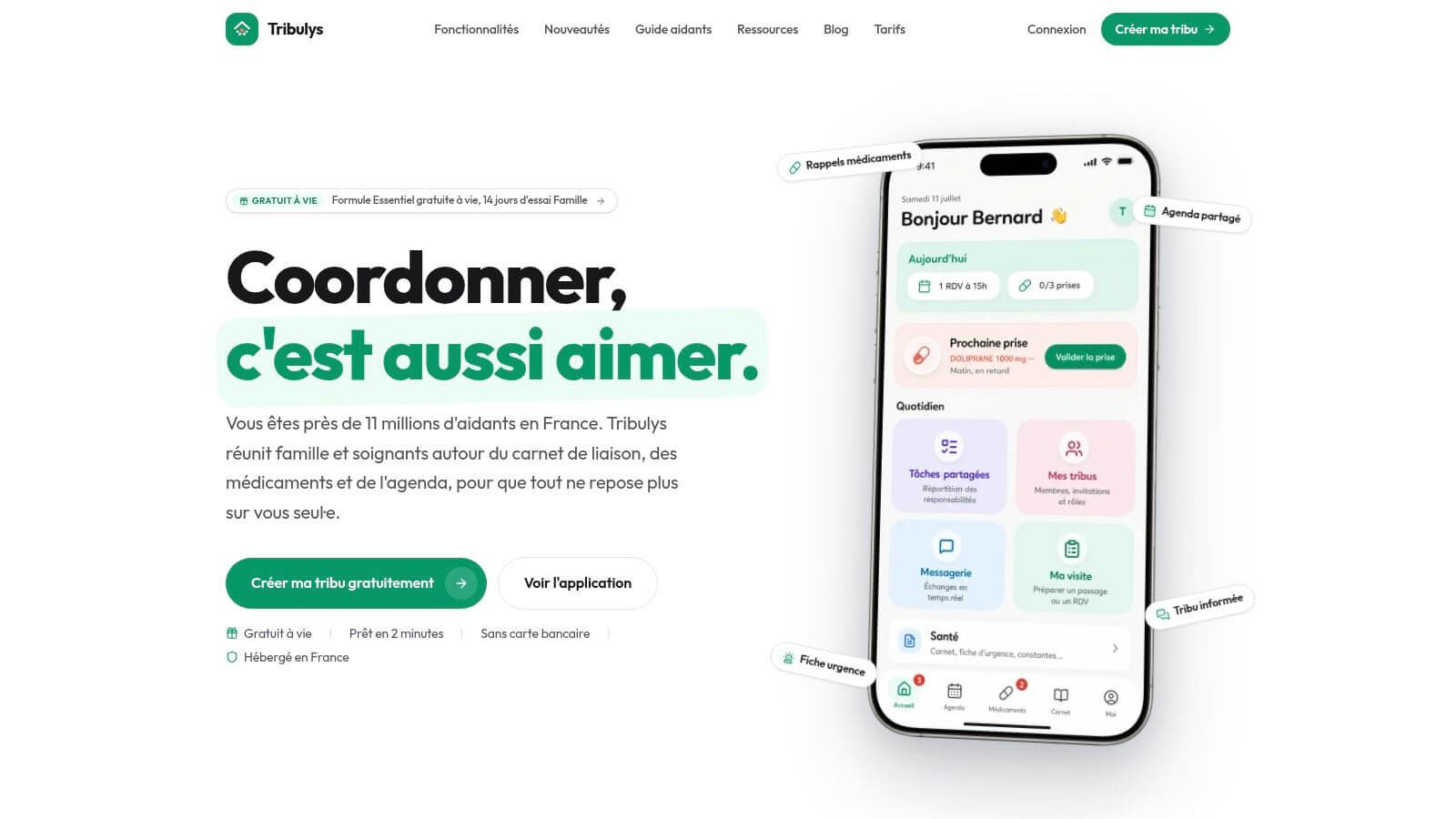
If you are looking for a simple way to complete an emergency button with a real daily organization, Tribulys allows to centralize care journal, agenda, medicines, emergency card and exchanges between caregivers and professionals around a loved one kept at home.
Put this organisation into practice with Tribulys
Keep your care journal, shared calendar, tasks, medication tracking and emergency information together. Start for free and invite the relatives and professionals involved in your loved one’s care.